
51YUNJI / BUY WITH CONTEXT

Cloud device knowledge hub — Page 38

Complete English guides to cloud PCs and cloud phones. Find answers by device, brand or task.

531 articles in English

Page 38 of 45
The files in the cloud PC are missing, what should I do first? Locate files before deciding what to do with them; search for unique file names; view recent files and the Recycle Bin; check sync records; save and verify copies when found.
CLOUD PCS

Files missing from a cloud PC: what to avoid doing first

Do not proceed with overwriting, resetting or batch cleaning yet. The account, instance, path and synchronization status should be confirmed before looking for recovery clues. This guide uses everyday examples, practical checks and common pitfalls to help you decide what to do next.
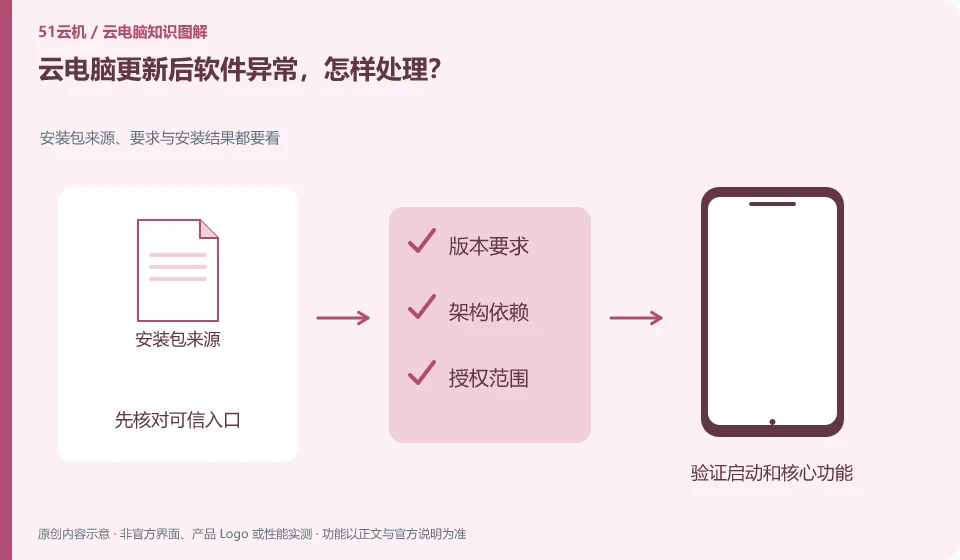

How to deal with software exception after cloud PC update? Check the source, requirements and installation results of the installation package; check change records; test simple files; save errors; check official known issues
CLOUD PCS

Software problems after a cloud PC update: what to do

First note the update scope, version and exceptions, and then reproduce them with a copy. Recovery or rollback should be performed according to the methods supported by the product and application. This guide uses everyday examples, practical checks and common pitfalls to help you decide what to do next.

Cloud PC login prompts that the password is incorrect, what should I check first? Platform accounts, instances and application accounts are managed separately; check the official login address; confirm the keyboard with ordinary text; view the complete prompt; handle it through the service's own retrieval or administrator process.
CLOUD PCS

Cloud PC reports an incorrect password: what to check first

First confirm the account system, input method and keyboard layout, and then consider retrieving the password. The service account and the remote system account may be different. This guide uses everyday examples, practical checks and common pitfalls to help you decide what to do next.

Cloud PC frequently disconnects, how to record it? Use time, phenomenon and recurrence steps to help locate the problem; record several times in a row; take screenshots of complete errors; explain whether automatic reconnection is possible; and check whether local ordinary web pages are also abnormal.
CLOUD PCS

Frequent cloud PC disconnections: what to record

Recording the time of occurrence, duration, network, client version, and task is easier for support than just saying "Total disconnection." This guide uses everyday examples, practical checks and common pitfalls to help you decide what to do next.

What should I do if cloud PC cannot recognize the USB flash drive? Peripheral support needs to be confirmed layer by layer; check official peripheral support; check client mode; verify transmission with test files; confirm writing is complete before safely removing.
CLOUD PCS

Cloud PC cannot detect a USB drive: what to check

First check whether the local system recognizes it, and then confirm whether the service supports the device and file transfer method. The cloud will not naturally see all local USBs. This guide uses everyday examples, practical checks and common pitfalls to help you decide what to do next.

cloud PC camera black screen, how to check? Minimum authorization, check item by function; close other occupying programs; check browser or client permissions; select the correct camera; do informal testing after reconnecting.
CLOUD PCS

Cloud PC camera shows a black screen: what to check

First confirm that the camera is functioning properly locally and is not occupied by other programs, and then check whether the client and remote applications support the corresponding path. This guide uses everyday examples, practical checks and common pitfalls to help you decide what to do next.

What should I do if my cloud PC’s microphone doesn’t work? Video conferencing relies on two-way audio and video and device permissions; record locally first; check connection permissions; view input at the remote system; make test calls instead of entering formal meetings directly.
CLOUD PCS

What to do when a cloud PC microphone does not work

Check layer by layer based on local permissions, client redirection, remote device selection and application permissions. Just because you can hear the sound doesn't mean the microphone input is working. This guide uses everyday examples, practical checks and common pitfalls to help you decide what to do next.

There is no sound from cloud PC, where should I check first? Sound paths for applications, remote sessions and local devices; play test sounds without copyright risk; check the volume layer by layer; confirm that the client allows audio; change a local output device for comparison.
CLOUD PCS

No sound on a cloud PC: what to check first

First verify that the remote application is producing sound, then check audio redirection, local output devices, and volume. Both ends may be muted. This guide uses everyday examples, practical checks and common pitfalls to help you decide what to do next.