51YUNJI / BUY WITH CONTEXT

Latest articles & insights — Page 37

The latest published tutorials, product notes and buying advice from the 51Yunji archive.

531 articles in English

Page 37 of 45
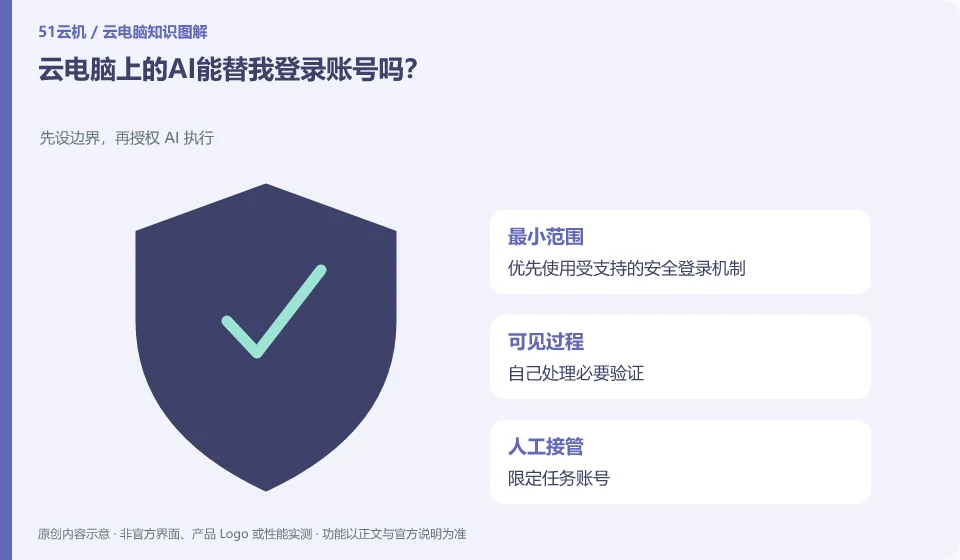
Can the AI on cloud PC log in to my account for me? Set boundaries before authorizing AI execution; prioritize supported secure login mechanisms; handle necessary verification yourself; limit task accounts; check sessions when complete.
CLOUD PCS

Can an AI assistant log in to accounts for you on a cloud PC?

There may be the ability to enter or invoke login tools, but credentials, additional verification, and permissions are still subject to service rules. Do not write important passwords into ordinary prompt words. This guide uses everyday examples, practical checks and common pitfalls to help you decide what to do next.


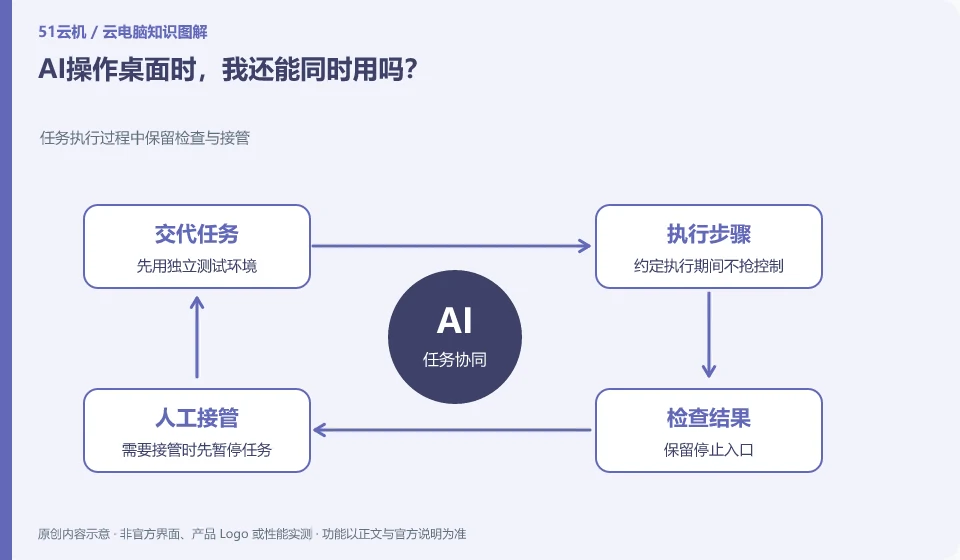
Can I still use AI to operate the desktop at the same time? Keep inspection and takeover during task execution; use an independent test environment first; agree not to grab control during execution; keep the stop entry; pause the task first when takeover is required.
CLOUD PCS

Can you use the desktop while an AI assistant operates it?

Some environments support different sessions or independent execution, but if the same desktop is shared, simultaneous operations may interfere with each other. You need to confirm the working method first. This guide uses everyday examples, practical checks and common pitfalls to help you decide what to do next.
What does the cost consist of when AI runs tasks on cloud PC? Break down the cost items and calculate them, not just the price; cloud PC instance costs; AI model or task costs; storage and traffic; failure retries and manual inspections
CLOUD PCS

What makes up the cost of AI tasks on a cloud PC?

In addition to desktop resources, there may also be model calling, storage, network, tool and manual verification costs. Should be calculated based on successful tasks. This guide uses everyday examples, practical checks and common pitfalls to help you decide what to do next.
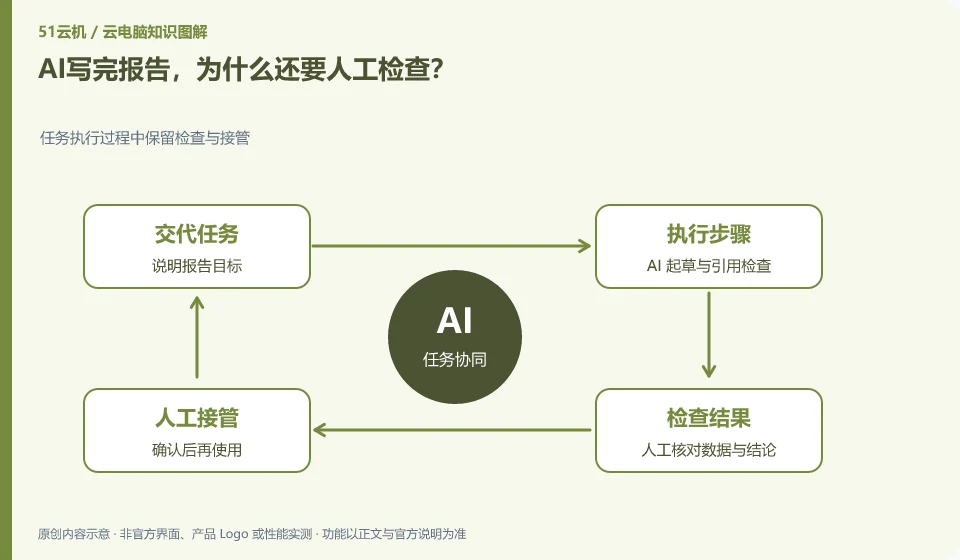
After AI writes the report, why does it need to be checked manually? Keep inspection and takeover during task execution; explain report objectives; AI drafting and citation inspection; manual verification of data and conclusions; use after confirmation
CLOUD PCS

Why should a person review an AI-written report?

Completion of generation does not mean that the content is correct. Figures, sources, quotations and conclusions should be checked against the original material, especially where the model may have added details. This guide uses everyday examples, practical checks and common pitfalls to help you decide what to do next.

AI helps you organize cloud PC files, how to avoid accidental deletion? Set boundaries before authorizing AI execution; limit test directories; require output of change lists; spot check for repeated judgments; retain recoverable copies
CLOUD PCS

AI file organization on a cloud PC: avoiding accidental deletion

First let AI propose the directory and move list, and then execute them in the copy. Organizing does not necessarily require deletion. If you can move the categories, you do not need to clear them first. This guide uses everyday examples, practical checks and common pitfalls to help you decide what to do next.
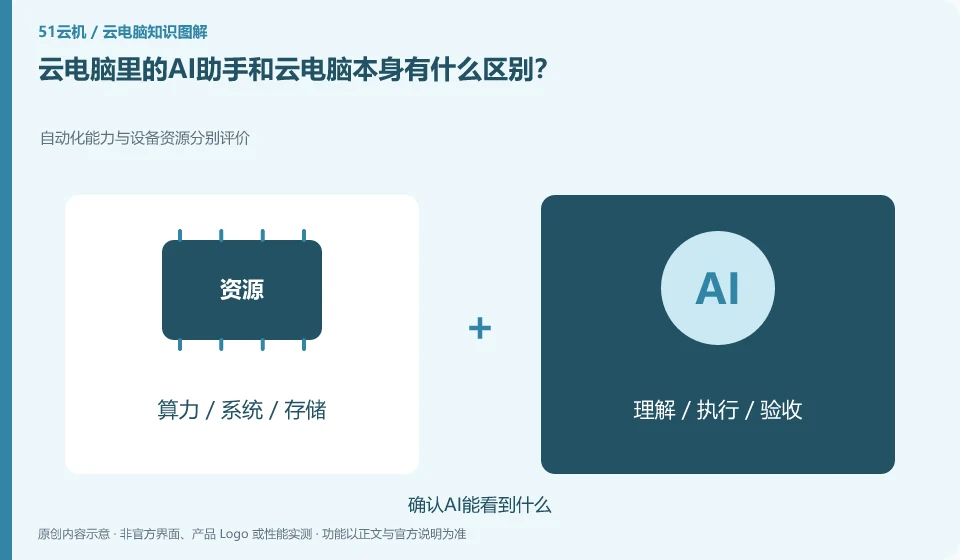
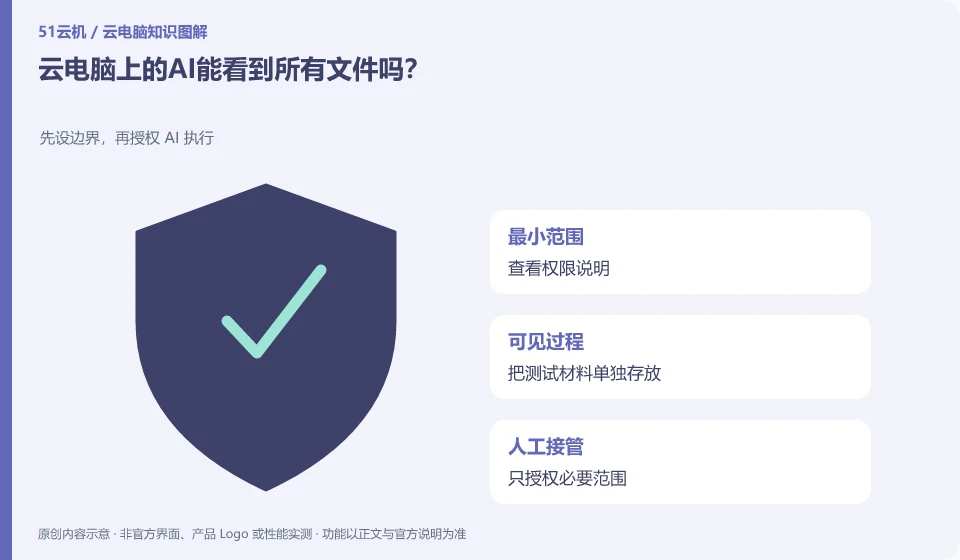
What is the difference between the AI assistant in cloud PC and cloud PC itself? Evaluate automation capabilities and equipment resources separately; confirm what AI can see; check whether it needs to be activated separately; test results with synthetic files; check permissions and fees.
CLOUD PCS

How is an AI assistant different from the cloud PC it runs on?

The cloud PC provides a running environment, and the AI assistant handles understanding, generation or operation tasks. The two can work together, but purchasing a desktop does not automatically include all AI capabilities. This guide uses everyday examples, practical checks and common pitfalls to help you decide what to do next.

When asking cloud PC customer service for help, what should I provide? Use time, phenomenon and recurrence steps to help locate; write down the connection entry; list recent changes; attach sensitive screenshots; explain the methods and results that have been tried.
CLOUD PCS

What to provide when contacting cloud PC support

Provide reproducible steps, time, version, error message and impact scope. It’s more effective to describe “what happens after you do something” than “it doesn’t work anymore.” This guide uses everyday examples, practical checks and common pitfalls to help you decide what to do next.
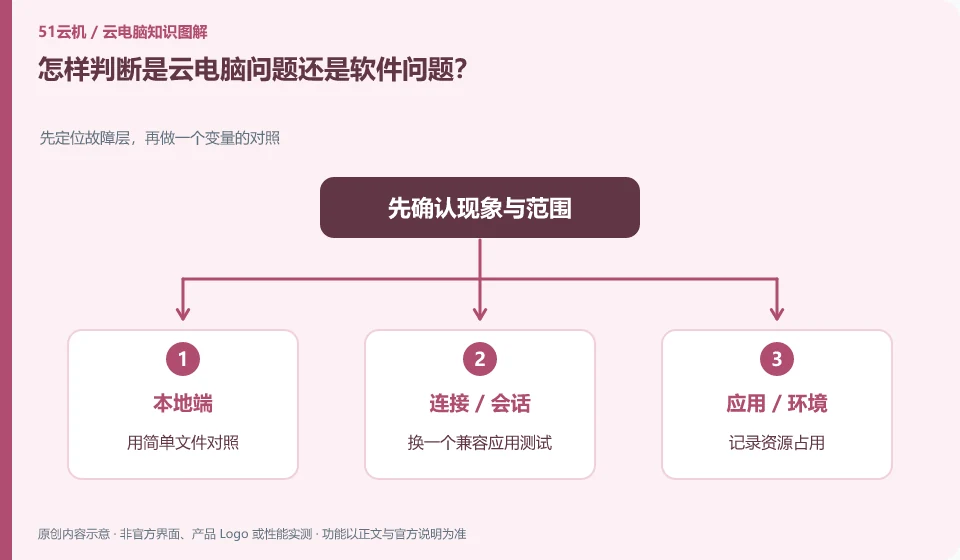
How to determine whether it is a cloud PC problem or a software problem? Locate the faulty layer first, and then compare variables; use simple files to compare; change to a compatible application for testing; record resource usage; and only change one condition at a time.
CLOUD PCS

Is the problem with the cloud PC or the application?

Look at the scope of impact: if only one application is abnormal, check applications and files first; if multiple applications and desktops are slow, then expand to the system and connections. This guide uses everyday examples, practical checks and common pitfalls to help you decide what to do next.