
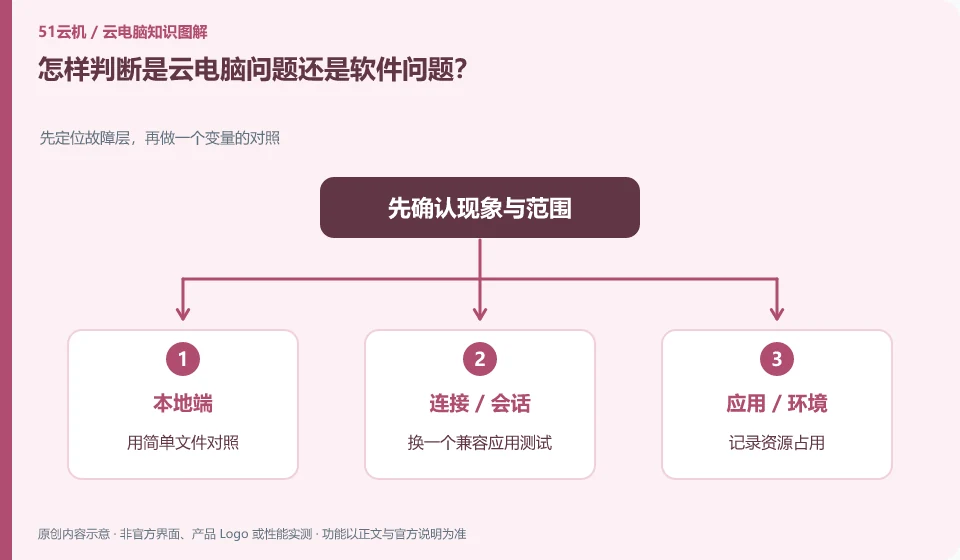
Look at the scope of impact: if only one application is abnormal, check applications and files first; if multiple applications and desktops are slow, then expand to the system and connections.
Understand the essentials
Faulty projects or plugins can also slow down software, and just because it runs in the cloud doesn't mean you can blame the platform.
A practical example
Hypothetical example: a blank document is normal, a large file must be stuck, and the file and dependencies are important clues.
What to check or try
- Compare with simple files.
- Change to a compatible application to test.
- Record resource usage.
- Only change one condition at a time.
By adding a simple operation that is not network sensitive for comparison, it will be easier to distinguish between applications and connections. If only a certain engineering problem is obvious, you can create a desensitized sample; if all applications are abnormal at the same time, record the system status and time and hand it over to support for continued inspection.
An easy-to-miss detail
Do not reinstall the system, software, and client at the same time without saving your work, otherwise it will be difficult to know the cause.
Continue reading
- Files missing from a cloud PC: what to avoid doing first
- What to provide when contacting cloud PC support
Back to Cloud PCs: troubleshooting
Notes and further reading
Troubleshooting AVD connection quality;WorkSpaces Personal network requirements。
This introductory guide was prepared by 51Yunji from public information with AI-assisted drafting. Examples are hypothetical, not hands-on product tests or promises of results. Follow the current product, version and official instructions for specific features and procedures. Compiled on October 26, 2026.