
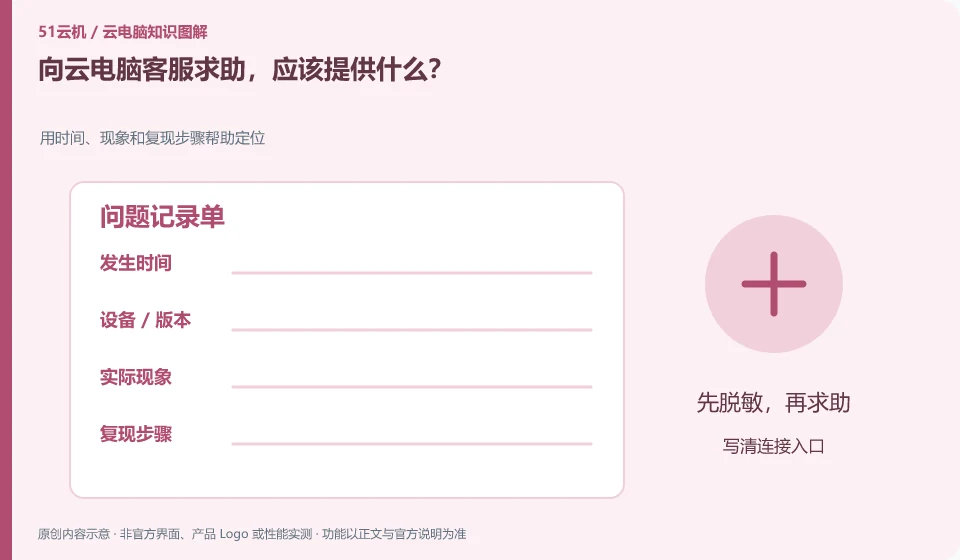
Provide reproducible steps, time, version, error message and impact scope. It’s more effective to describe “what happens after you do something” than “it doesn’t work anymore.”
Understand the essentials
Support needs to determine which layer the issue is occurring on, but doesn't need your private keys, full passwords, or sensitive files.
A practical example
Here's a hypothetical example: A printing problem could be reproduced with a non-sensitive sample without having to send the entire customer contract.
What to check or try
- Write down the connection entry.
- List recent changes.
- Attached is a sensitive screenshot.
- Describe methods that have been tried and their results.
You can use four sentences to ask for help: what environment I am in, what I did, what I expected, and what I actually did. Add the minimum screenshots and tried steps. Clear evidence both reduces back-and-forth communication and prevents others from suggesting that you repeat actions that might affect your data.
An easy-to-miss detail
Only submit necessary information through official channels, and clearly see the scope of the other party's operations when assisting remotely.
Continue reading
- Is the problem with the cloud PC or the application?
- Cloud PC won't connect: troubleshoot each part of the connection
Back to Cloud PCs: troubleshooting
Notes and further reading
Troubleshooting AVD connection quality;WorkSpaces Personal network requirements。
This introductory guide was prepared by 51Yunji from public information with AI-assisted drafting. Examples are hypothetical, not hands-on product tests or promises of results. Follow the current product, version and official instructions for specific features and procedures. Compiled on October 26, 2026.