
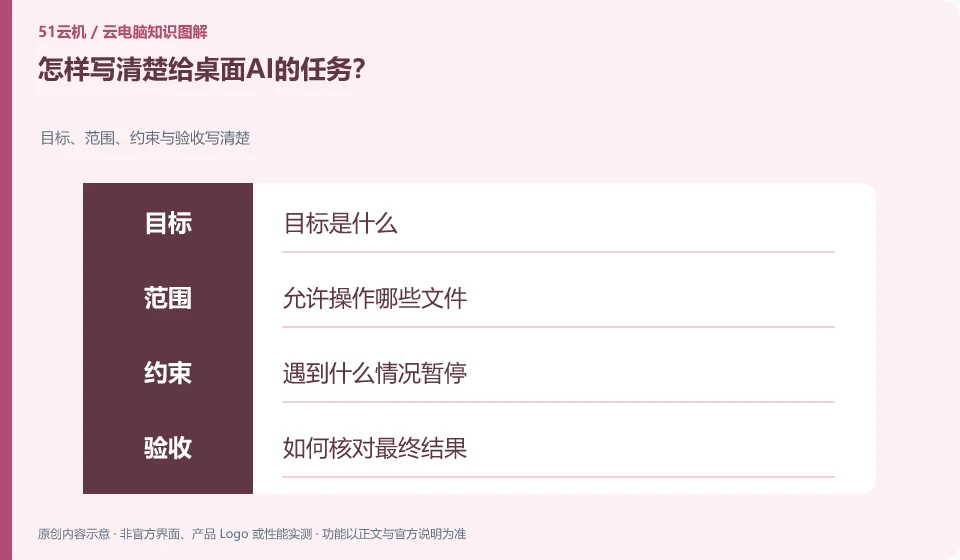
It's more useful to state the input location, target results, constraints, and acceptance methods than just saying "Help me take care of this."
Understand the essentials
The clearer the result definition, the better it can prevent AI from treating intermediate actions as completed.
A practical example
Here's a hypothetical example: "Sort the exercise sheets by date and save them to the output directory" is more specific than "Organize the sheets."
What to check or try
- List files and targets.
- Note that the original cannot be modified.
- Give naming rules.
- Show output and open issues upon completion of the requirement.
A usable task description should also include stopping conditions: what to do if a file is missing, a login is encountered, or results cannot be confirmed. Allowing tools to report "uncertain" preserves the truth more easily than requiring it to be done anyway. In particular, don't cover external side effects with general goals.
An easy-to-miss detail
Do not use vague authorization to cover important actions such as outgoing, payment, or permanent deletion.
Continue reading
- Can you use the desktop while an AI assistant operates it?
- AI clicked the wrong thing on a cloud PC: what to do
Back to Cloud PCs: AI and ongoing use
Notes and further reading
Anthropic computer use announcement;Windows 365 for Agents technical information。
This introductory guide was prepared by 51Yunji from public information with AI-assisted drafting. Examples are hypothetical, not hands-on product tests or promises of results. Follow the current product, version and official instructions for specific features and procedures. Compiled on October 26, 2026.