
Some environments support different sessions or independent execution, but if the same desktop is shared, simultaneous operations may interfere with each other. You need to confirm the working method first.
Understand the essentials
The focus, window position, and clipboard will all change, and the AI may click on the new window you just opened.
A practical example
Hypothetical example: when the AI is inputting a form, if you cut the email, subsequent input may fall into the wrong position.
What to check or try
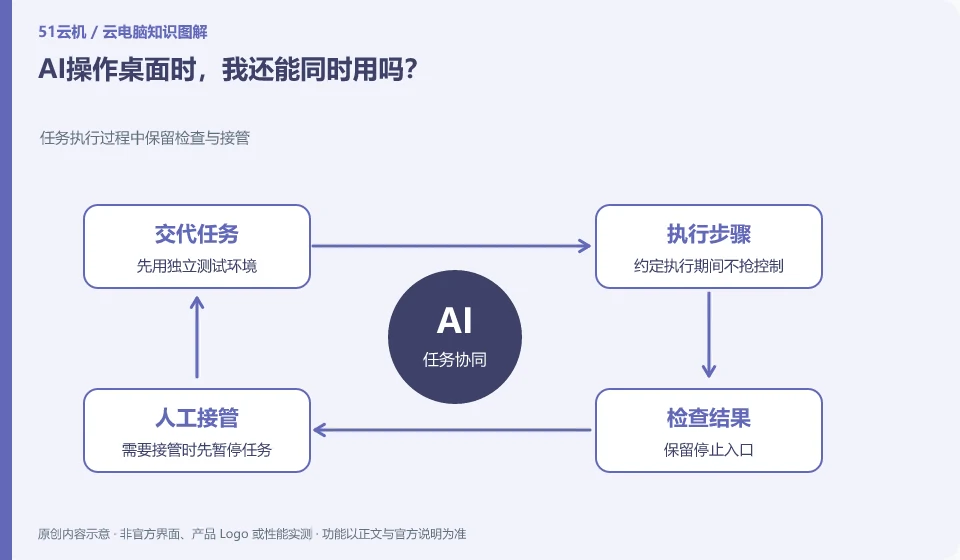
- Use an independent test environment first.
- Don’t take control during the execution of the agreement.
- Keep the stop entrance.
- Pause the task first when it needs to be taken over.
If the task has been suspended, make sure there are no background actions still executing before taking over. After the operation is completed, you must also tell the AI what changes have occurred in the environment to prevent it from continuing based on the old state. When humans and machines are shared, the protocols for suspending, handing over, and resuming are as important as the tasks themselves.
An easy-to-miss detail
Don't mistake the parallel operation of a shared desktop for true isolated multitasking capabilities.
Continue reading
- Can an AI assistant on a cloud PC see all your files?
- How to write a clear task for a desktop AI assistant
Back to Cloud PCs: AI and ongoing use
Notes and further reading
Anthropic computer use announcement;Windows 365 for Agents technical information。
This introductory guide was prepared by 51Yunji from public information with AI-assisted drafting. Examples are hypothetical, not hands-on product tests or promises of results. Follow the current product, version and official instructions for specific features and procedures. Compiled on October 26, 2026.