
51YUNJI / BUY WITH CONTEXT

Cloud PCs for learning and family use guides — Page 2

Explore English articles for this topic.

20 articles in English

Page 2 of 2
When learning design software, can I use cloud PC first? Verify input devices, canvas and software capabilities together; check software requirements first; try out real course files; verify input and export
CLOUD PCS

Can you start learning design software on a cloud PC?

Think of this as a trial option, but first verify the course software, GPU, input devices, and file exchange. Being able to start the software is not the same as completing the course project. This guide uses everyday examples, practical checks and common pitfalls to help you decide what to do next.

Can I learn programming on cloud PC? Edit, run and save to form a closed loop of learning; check course tools and languages; run a small exercise; save code and results
CLOUD PCS

Can you learn programming on a cloud PC?

Compatible cloud PCs can be used to learn programming, but need to confirm the system, installation permissions, network and course tools. Getting started does not mean you have to buy a high-end configuration first. This guide uses everyday examples, practical checks and common pitfalls to help you decide what to do next.
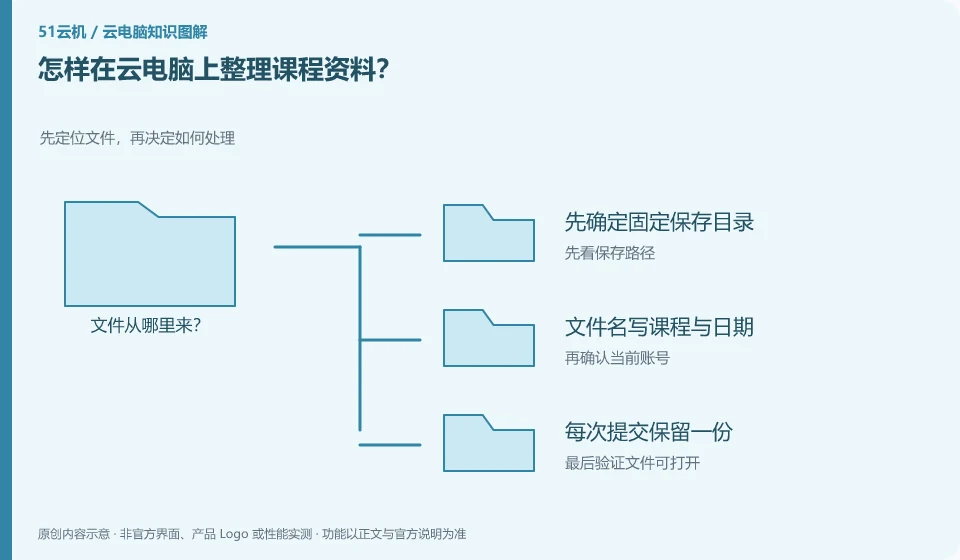
How to organize course materials on cloud PC? Locate the file first, and then decide how to process it; first determine the fixed storage directory; write the course and date in the file name; keep a copy for each submission; regularly verify that the backup can be opened.
CLOUD PCS

How to organize course materials on a cloud PC

Organized by courses and tasks, they are easier to retrieve than leaving all your files on your desktop. Directory and file names should be understandable to your future self. This guide uses everyday examples, practical checks and common pitfalls to help you decide what to do next.

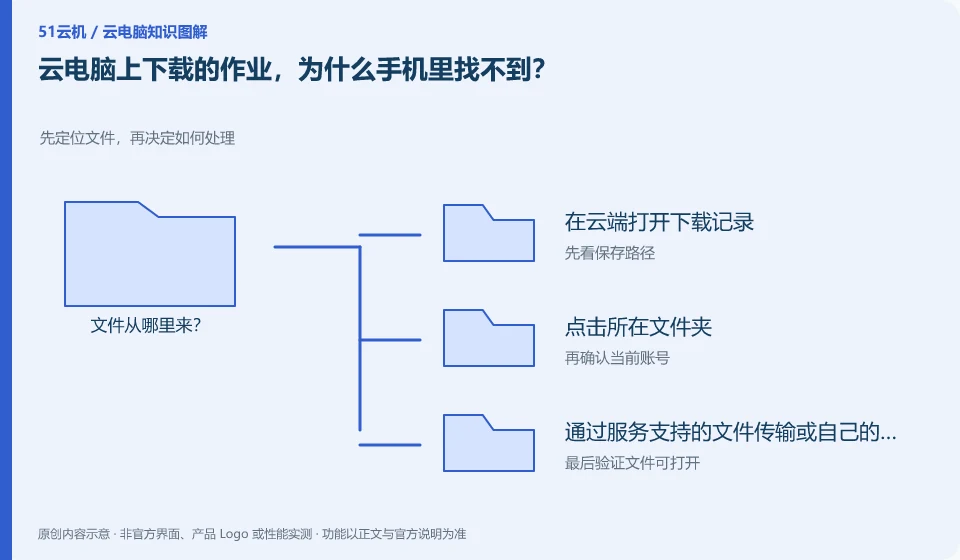
Why can’t I find the homework downloaded on cloud PC on my mobile phone? Locate the file first, and then decide how to process it; open the download record in the cloud; click on the folder; retrieve it through file transfer supported by the service or your own synchronization space; and then confirm on the phone.
CLOUD PCS

Why can't I find cloud PC homework downloads on my phone?

The download may occur in the cloud PC, and the file is not automatically transferred to the mobile phone. You need to confirm which side the browser is actually running on. This guide uses everyday examples, practical checks and common pitfalls to help you decide what to do next.
Can multiple people at home share a cloud PC? Platform accounts, instances and application accounts are managed separately; shared devices do not equal shared accounts; files and permissions are separated; confirm status after exiting
CLOUD PCS

Can several people in a household share one cloud PC?

You must first confirm whether the service allows multiple users and whether there are independent accounts. Just because a desktop is used by multiple people in turns does not mean that everyone's files and privacy are automatically isolated. This guide uses everyday examples, practical checks and common pitfalls to help you decide what to do next.
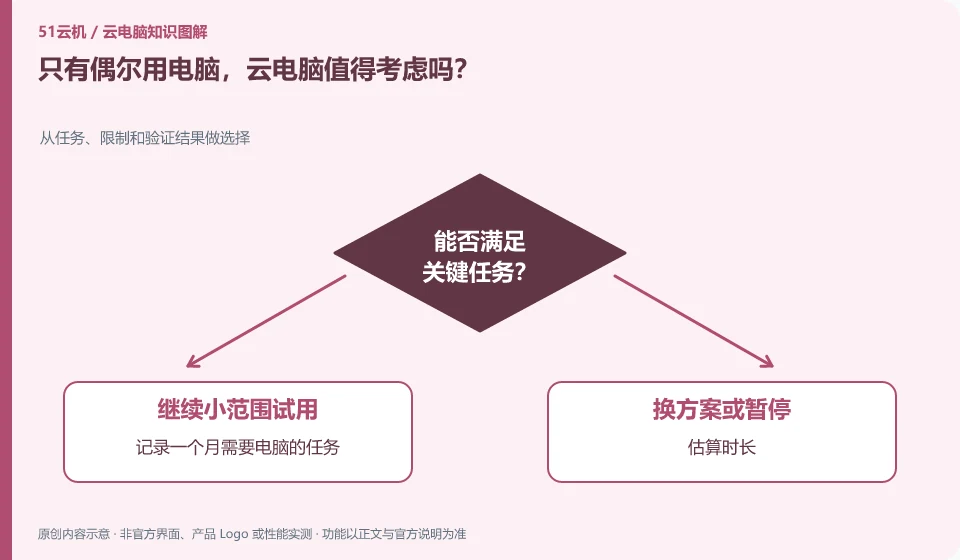
Is cloud PC worth considering if I only use my computer occasionally? Choose from tasks, constraints, and verification results; record tasks that require computers for a month; estimate duration; check outage and expiration rules; compare existing equipment to see if it can be completed.
CLOUD PCS

Is a cloud PC worth considering for occasional computer use?

It can be evaluated, but it should be calculated based on real frequency of use, rather than just looking at low-price advertisements. Those who use it less will especially want to look at minimum subscription periods and associated fees. This guide uses everyday examples, practical checks and common pitfalls to help you decide what to do next.
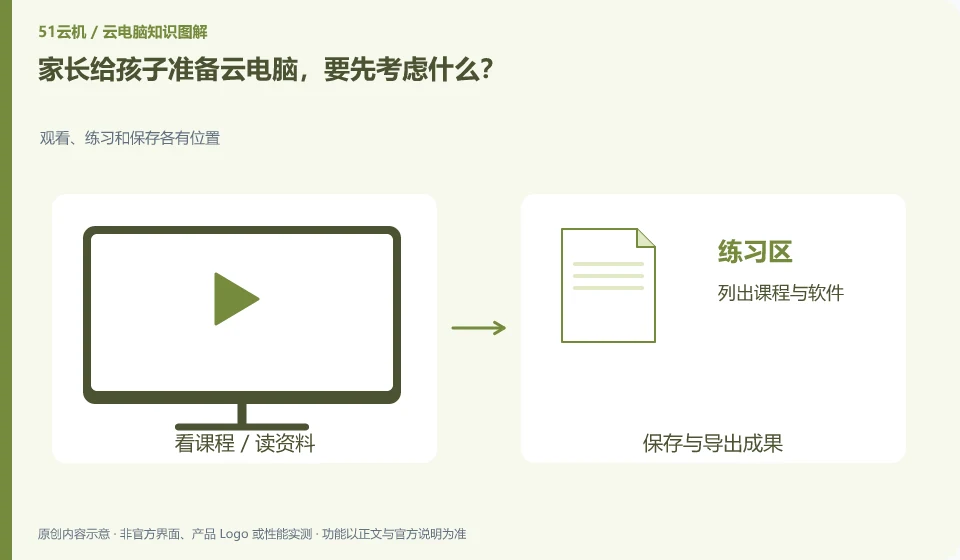
What should parents consider first when preparing a cloud PC for their children? Watch, practice and save have their own places; list courses and software; accompany you to complete the first login; agree on the file storage location; check payment and renewal permissions.
CLOUD PCS

Choosing a cloud PC for a child: what parents should consider

First determine your child’s learning tasks, available networks and usage habits, and then look at the equipment. The cloud does not automatically solve content selection, time management or parental presence issues. This guide uses everyday examples, practical checks and common pitfalls to help you decide what to do next.

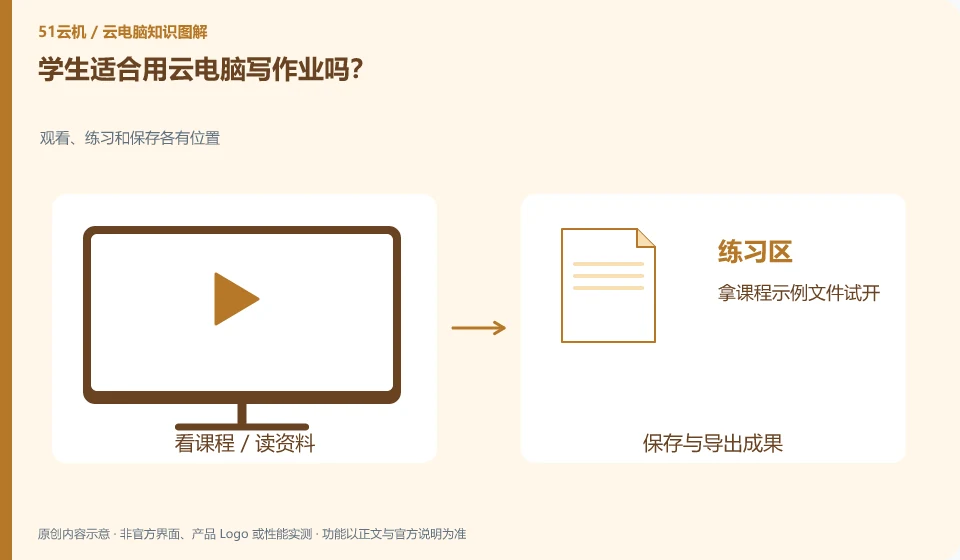
Is it suitable for students to use cloud PC to write homework? Viewing, practicing and saving have their own places; try opening the course sample file; complete a submission; confirm that the teacher can view it normally; save a copy that can be read on other devices.
CLOUD PCS

Is a cloud PC suitable for schoolwork?

Cloud PC can be used as a tool if the assignment relies on compatible desktop software, the network is stable, and the school allows it. Check the course requirements first, and do not regard the device form as learning effect. This guide uses everyday examples, practical checks and common pitfalls to help you decide what to do next.