
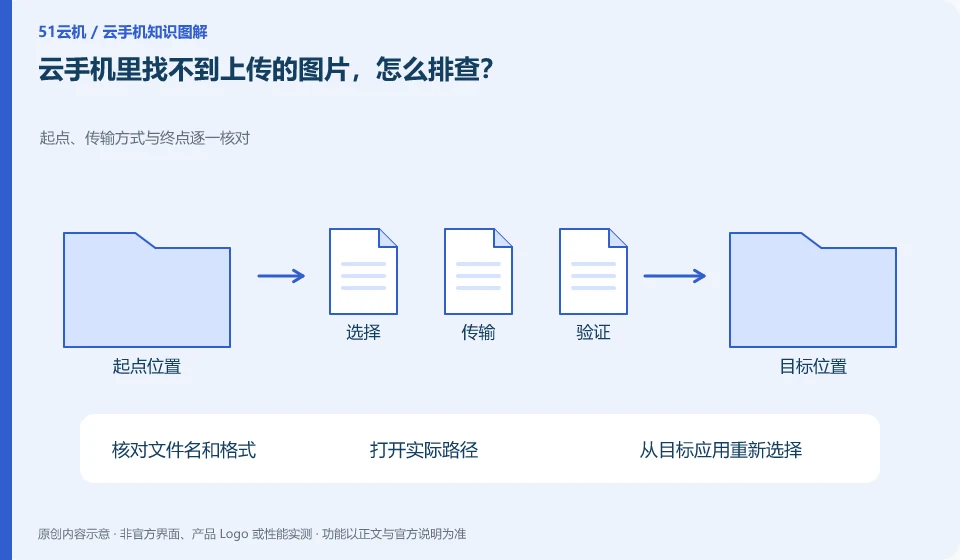
First confirm whether the upload is complete, the actual directory and application access permissions. File existence and album display are not the same thing.
Understand the essentials
Format, media indexing, and app accessibility can all affect the list.
A practical example
Hypothetical example: the file application can find the image, but the chat application selector does not display. Let’s look at the authorization and import methods first.
What to check or try
- Check the file name and format.
- Open the actual path.
- Reselect from the target application.
- Refresh media by official means when necessary.
If you can find the actual file but the app is not listed, first reselect it from within the app or check the restricted access scope. Not every image will appear immediately in every selector. Recording location and format is easier to maintain than repeatedly copying to many directories.
An easy-to-miss detail
Don’t repeatedly upload tons of duplicate images to replace targeting issues.
Continue reading
- Cloud phone looks like a new environment after restart: what to verify
- How to record a cloud phone problem so others can help
Back to Cloud phones: troubleshooting
Notes and further reading
Android app storage overview;Android app permissions overview。
This introductory guide was prepared by 51Yunji from public information with AI-assisted drafting. Examples are hypothetical, not hands-on product tests or promises of results. Follow the current product, version and official instructions for specific features and procedures. Compiled on October 26, 2026.