
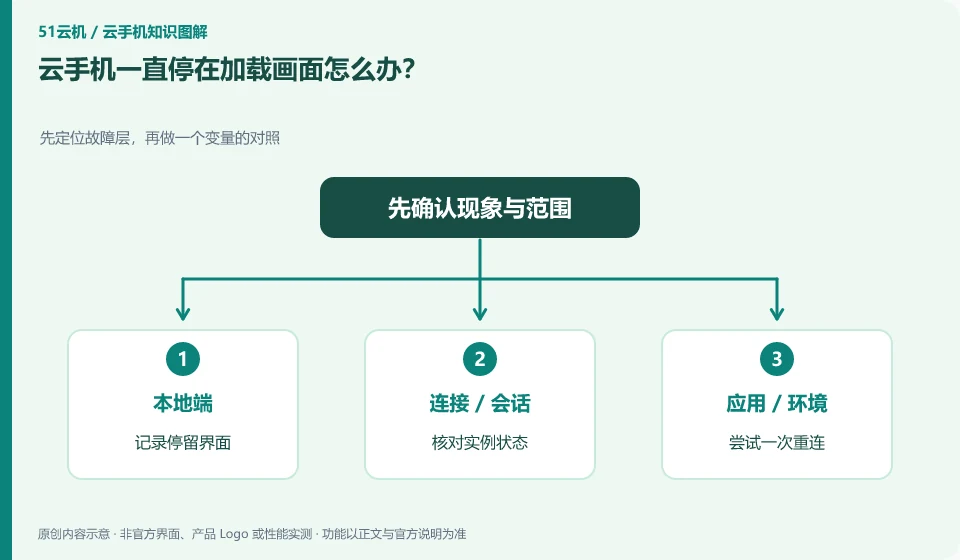
First distinguish between normal startup waiting and persistent exceptions, and check the instance status and whether there are maintenance prompts. Repeated refreshes may not speed up startup.
Understand the essentials
Resource initialization, system startup and screen connection are different stages, and the stuck location helps to locate it.
A practical example
Hypothetical example: The platform shows that it is running but the client keeps spinning. You may need to further check the streaming connection instead of re-purchasing it.
What to check or try
- Record the stay interface.
- Check instance status.
- Try reconnecting once.
- Check the official notification.
- Submit evidence when exception persists.
Normal startups usually have observable state changes, and continued dwells are worth recording. Don't infer that a fault is inevitable based on how long you have waited. You should combine the platform prompts. Repeated forced restarts may cause initialization to restart. Please confirm the impact of the corresponding operations first.
An easy-to-miss detail
Don't create multiple instances in a row to avoid leaving extra costs and cluttered data.
Continue reading
- Cloud phone won't connect: where to start troubleshooting
- Cloud phone has sound but a black screen: possible causes
Back to Cloud phones: troubleshooting
Notes and further reading
Wuying Cloud Phone FAQ;Tencent Cloud Phone quick start。
This introductory guide was prepared by 51Yunji from public information with AI-assisted drafting. Examples are hypothetical, not hands-on product tests or promises of results. Follow the current product, version and official instructions for specific features and procedures. Compiled on October 26, 2026.