
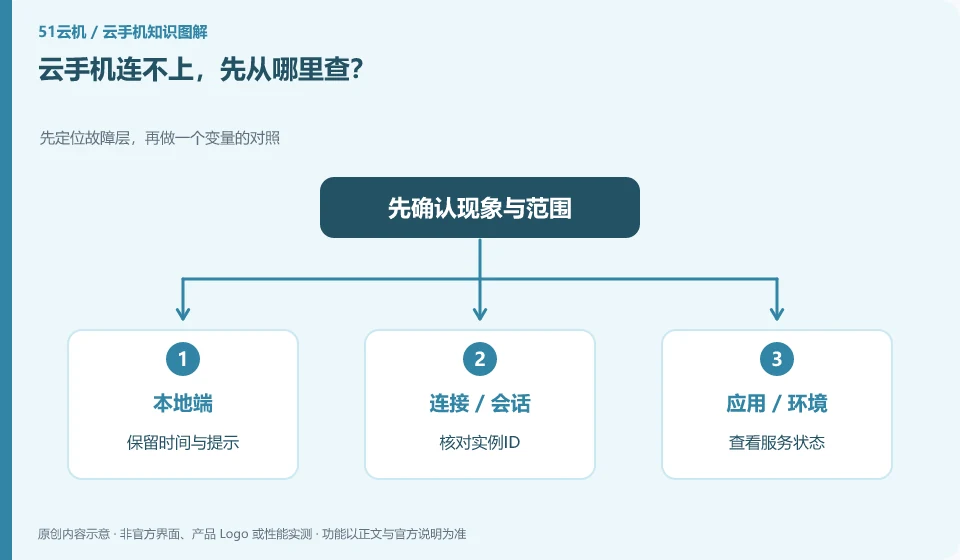
First check the local network, official portal, account, instance status and client. Troubleshooting by layer is more reliable than rebuilding instances repeatedly.
Understand the essentials
Successful login to the platform does not mean that the instance is available, nor does it mean that the current client connection channel is normal.
A practical example
Hypothetical example: if all web pages cannot be opened, deal with the local network first; if only one instance fails, check that instance again.
What to check or try
- Retention time and tips.
- Check the instance ID.
- View service status.
- Try another supported entry.
- Record the results.
Each step records "pass or fail", for example, the entrance is normal but the instance is unavailable. Keep the same instance when trying another official entrance to avoid mistakenly thinking that the problem is solved after changing the target. If unexported data is involved, you should first explain your data retention needs when seeking help.
An easy-to-miss detail
Don't reset it directly because you can't connect. There may be unexported data in it.
Continue reading
- Cloud phone troubleshooting: when should you stop experimenting?
- What to do when a cloud phone stays on the loading screen
Back to Cloud phones: troubleshooting
Notes and further reading
Wuying Cloud Phone FAQ;Tencent Cloud Phone quick start。
This introductory guide was prepared by 51Yunji from public information with AI-assisted drafting. Examples are hypothetical, not hands-on product tests or promises of results. Follow the current product, version and official instructions for specific features and procedures. Compiled on October 26, 2026.