
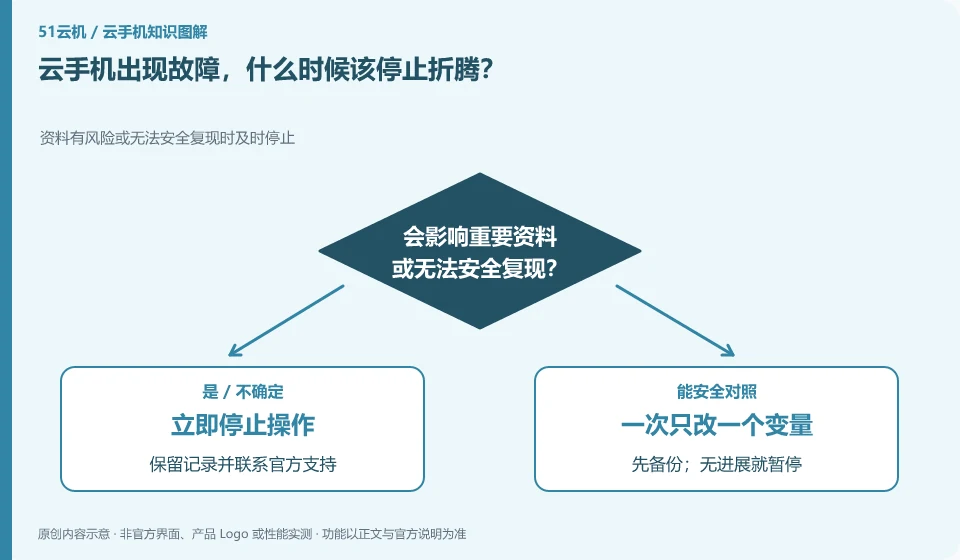
When the operation may damage unique data, the reasons for continuous failures are unknown, or account security is involved, you should first retain the status quo and seek help.
Understand the essentials
Troubleshooting is not about trying as many times as possible. Cleaning data, rebuilding and modifying the system will change the evidence and recovery conditions.
A practical example
Hypothetical example: when important notes are not exported, a direct reset may turn a connection problem into a data problem.
What to check or try
- Save error and time.
- Stop high-impact changes.
- Organize tried steps.
- Confirm next steps and backups from official support.
After retaining the minimum necessary evidence, you can list the tried actions in chronological order to avoid repeated suggestions by support personnel. Clarifying which data is not backed up and which operations are unacceptable can also help the other party choose a processing method with less impact.
An easy-to-miss detail
Don't sacrifice critical data that has not yet been retrieved in order to restore the screen as quickly as possible.
Continue reading
- Cloud phone slowing down: do cleanup and “speed booster” apps help?
- Cloud phone won't connect: where to start troubleshooting
Back to Cloud phones: troubleshooting
Notes and further reading
Wuying Cloud Phone FAQ;Tencent Cloud Phone quick start。
This introductory guide was prepared by 51Yunji from public information with AI-assisted drafting. Examples are hypothetical, not hands-on product tests or promises of results. Follow the current product, version and official instructions for specific features and procedures. Compiled on October 26, 2026.