
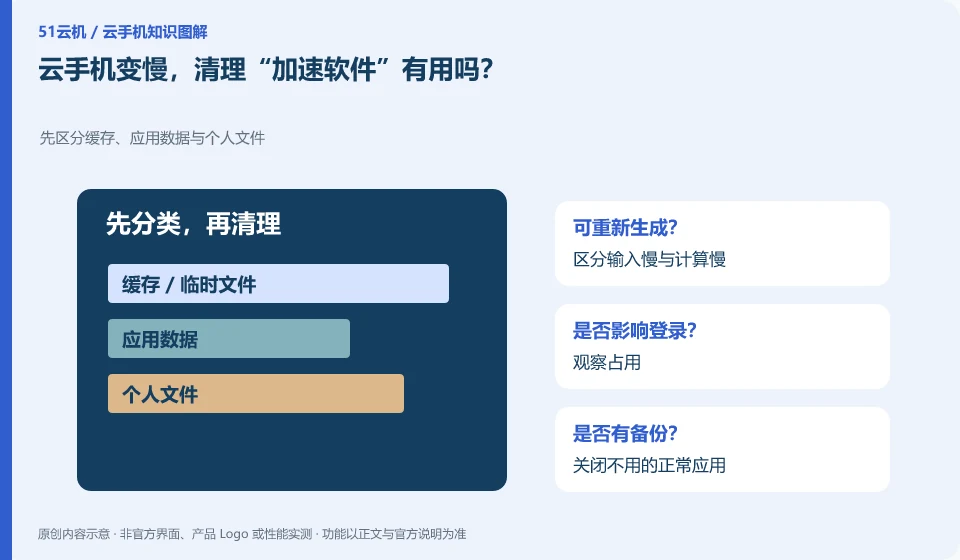
Installing acceleration software should not be your first choice. First check the resources, applications, network and remaining space to know where the slowness is.
Understand the essentials
Additional tools may take up resources, ask for permissions, or make changes to the system, adding to the problem.
A practical example
Hypothetical example: Clearing the application cache when screen transmission is slow may not necessarily improve the connection, but may also cause the application to re-download content.
What to check or try
- Distinguish between slow input and slow calculation.
- Observe occupancy.
- Close normal applications that are not in use.
- Compare network and time period.
If a normal application is indeed taking up a lot of work, understand what it is doing before deciding to close it or reduce its tasks. Blindly terminating system components can create new problems. Recording slow motion is more useful than chasing the score displayed by a cleaning tool.
An easy-to-miss detail
Do not install unknown tools that claim to solve all problems with one click, nor grant irrelevant permissions.
Continue reading
- Cloud phone connection problems after changing your local device
- Cloud phone troubleshooting: when should you stop experimenting?
Back to Cloud phones: troubleshooting
Notes and further reading
Wuying Cloud Phone FAQ;Tencent Cloud Phone quick start。
This introductory guide was prepared by 51Yunji from public information with AI-assisted drafting. Examples are hypothetical, not hands-on product tests or promises of results. Follow the current product, version and official instructions for specific features and procedures. Compiled on October 26, 2026.