
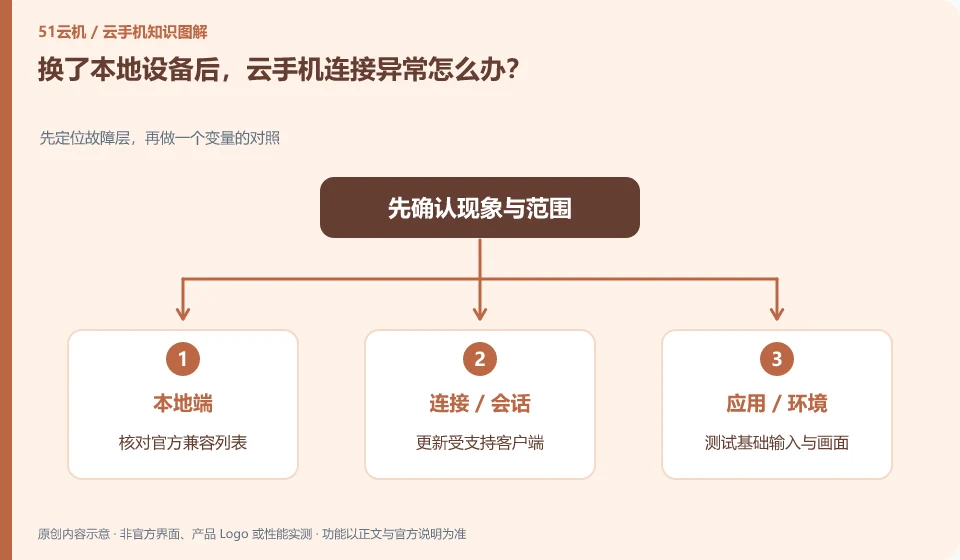
First compare the client version, system support, permissions and network, and do not rush to modify the remote instance.
Understand the essentials
The same remote environment may have different peripherals or display capabilities at different portals.
A practical example
Hypothetical example: the old computer can transfer files, but the new browser portal cannot. It may be due to portal differences rather than instance damage.
What to check or try
- Check the official compatibility list.
- Update supported clients.
- Test basic input and screens.
- Verify the required functionality again.
Test images and normal text first, then restore files, audio and camera requirements one by one. If the basic abilities are normal, if a certain item is missing, focus on that function. In this way, the stable state of the original instance can be retained, and there is no need to rebuild the remote system just because the entrance is changed.
An easy-to-miss detail
Do not copy the password files on the old device to unknown connection tools.
Continue reading
- How to record a cloud phone problem so others can help
- Cloud phone slowing down: do cleanup and “speed booster” apps help?
Back to Cloud phones: troubleshooting
Notes and further reading
Wuying Cloud Phone FAQ;Tencent Cloud Phone quick start。
This introductory guide was prepared by 51Yunji from public information with AI-assisted drafting. Examples are hypothetical, not hands-on product tests or promises of results. Follow the current product, version and official instructions for specific features and procedures. Compiled on October 26, 2026.