
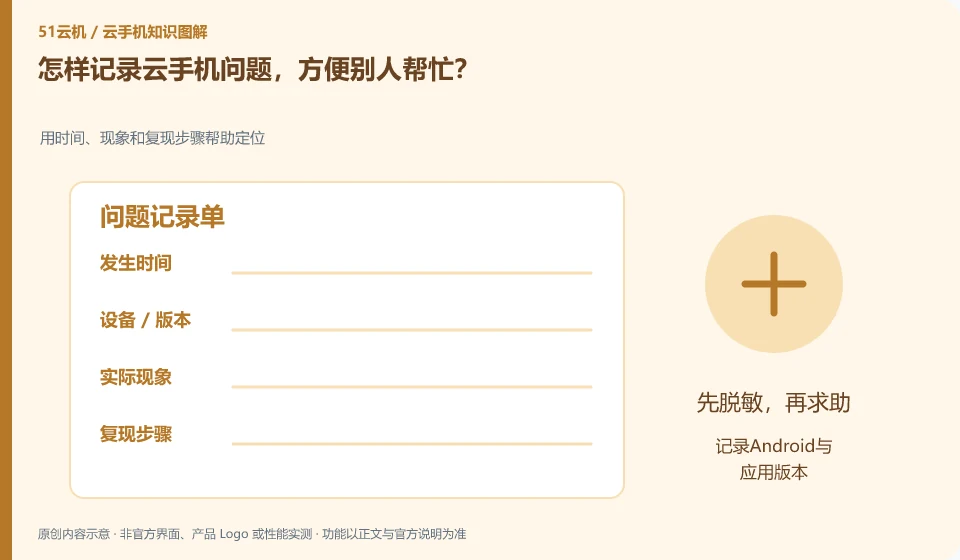
Write down the instance, version, time, actions and results clearly, and use desensitized screenshots to show errors. It would be best if it could be reproduced on test materials.
Understand the essentials
Just "crash" is not enough to determine whether it occurs on the login or camera page, which will change the direction of the investigation.
A practical example
Hypothetical example: if the fixed steps fail every time, it is easier to locate than if there are occasional errors but no records.
What to check or try
- Record Android and application versions.
- List the shortest steps.
- Attached error.
- Describe methods that have been tried.
- Seek help through official channels.
A short but complete record should allow the other party to locate "at which step it was different for the first time." Screenshots retain errors, text explains what is expected. Don’t just post a cropped image without context, and don’t expose your instance connection key in exchange for quick help.
An easy-to-miss detail
Account passwords, verification codes, keys and complete private logs are not disclosed.
Continue reading
- Uploaded photos missing from a cloud phone: how to troubleshoot
- Cloud phone connection problems after changing your local device
Back to Cloud phones: troubleshooting
Notes and further reading
Wuying Cloud Phone FAQ;Tencent Cloud Phone quick start。
This introductory guide was prepared by 51Yunji from public information with AI-assisted drafting. Examples are hypothetical, not hands-on product tests or promises of results. Follow the current product, version and official instructions for specific features and procedures. Compiled on October 26, 2026.