
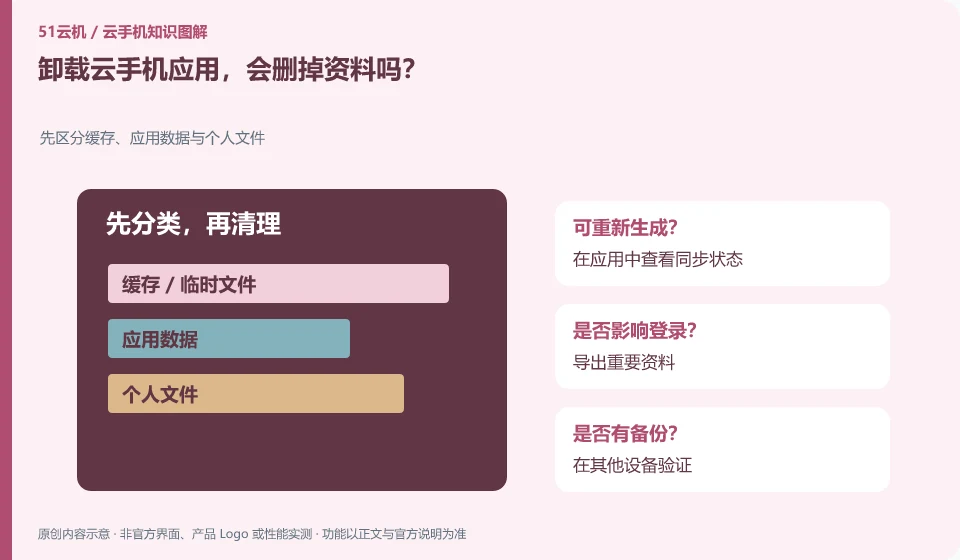
It may affect the data saved by the application in the instance; whether there is another copy in the cloud account depends on the application's own synchronization rules.
Understand the essentials
Uninstalling an application, deleting an instance, and logging out of an account are at different levels and cannot be confused.
A practical example
Hypothetical example: Notes are only saved in the local application space and may not be restored from the account after uninstalling.
What to check or try
- View sync status in the app.
- Export important data.
- Verify on other devices.
- Then handle the installation as needed.
Open the synchronized content on the other end first to confirm that there is indeed a copy in the account and that the interface is not still showing the old cache. Record the application version and recovery entry before uninstalling; if it cannot be verified, postpone high-impact operations on the unique data environment.
An easy-to-miss detail
Don’t assume that all application data is automatically backed up in the cloud just because it has “cloud phone” in the name.
Continue reading
- Clearing cache versus clearing app data: what is the difference?
- Planning cloud phone file synchronization and backups
Back to Cloud phones: apps and data
Notes and further reading
Android app storage overview;Android app permissions overview。
This introductory guide was prepared by 51Yunji from public information with AI-assisted drafting. Examples are hypothetical, not hands-on product tests or promises of results. Follow the current product, version and official instructions for specific features and procedures. Compiled on October 26, 2026.