
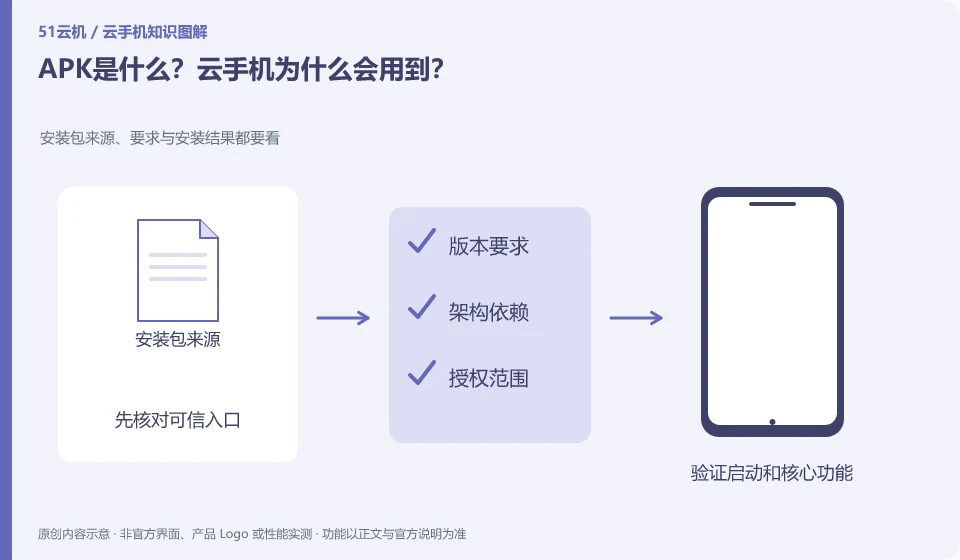
APK is a form of Android application installation package. Receiving an installation package does not mean that it is safe, suitable or authorized for distribution.
Understand the essentials
Applications may also rely on additional resources, different architectures, or specific installation methods, and a single file may not contain everything.
A practical example
Hypothetical example: the file can be transferred to the instance, but it says it cannot be installed. You need to check the version and format further instead of clicking repeatedly.
What to check or try
- Confirm the official source of the package.
- Verify that the documentation is complete and applicable to the system.
- Install according to the method supported by the platform.
- Log specific errors.
File extensions only provide formatting clues, not proof of source or content. If a product requires a specific installation method, it should be used according to the instructions and does not require forced installation by changing the name. Save prompts when encountering errors to facilitate determining whether resources, versions or permissions are missing.
An easy-to-miss detail
Do not regard the APK obtained from the group as a trusted source, especially do not use it to log in to important accounts.
Continue reading
- What to check before installing a cloud phone app
- An app won't install: are the cloud phone specifications too low?
Back to Cloud phones: apps and data
Notes and further reading
Google Play Integrity setup;Android app storage overview。
This introductory guide was prepared by 51Yunji from public information with AI-assisted drafting. Examples are hypothetical, not hands-on product tests or promises of results. Follow the current product, version and official instructions for specific features and procedures. Compiled on October 26, 2026.