
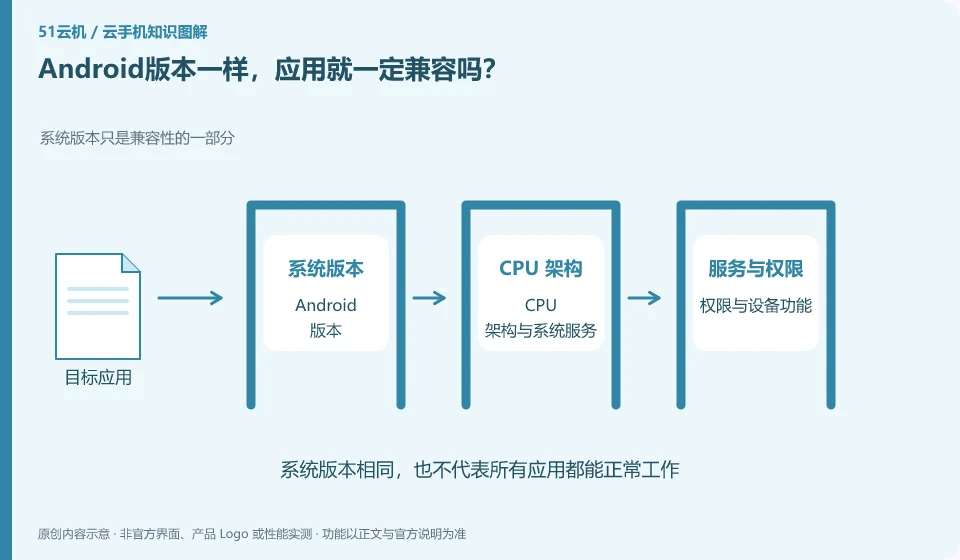
Not necessarily. Applications may also rely on CPU architecture, graphics capabilities, system services, device certification, and real hardware.
Understand the essentials
The Android version only covers part of the conditions, and the virtual environment may still be different from a certain brand of physical machine.
A practical example
Hypothetical example: a normal page can be opened, but the camera or login function fails. This is an example of functional compatibility.
What to check or try
- List application core tasks.
- Test item by item.
- Check official support coverage.
- Record the specific failing link instead of writing "incompatible" in general.
The compatibility list should be written by function, not just by application name. Startup, login, file import, camera and long-term save can be labeled separately. Such results are more honest and more convenient to retest only the affected parts after a version update.
An easy-to-miss detail
Being able to be installed does not mean that it is fully compatible, nor does it promise that all applications can be used.
Continue reading
- An app won't install: are the cloud phone specifications too low?
- Are a cloud phone account and an app account the same?
Back to Cloud phones: apps and data
Notes and further reading
Google Play Integrity setup;Android app storage overview。
This introductory guide was prepared by 51Yunji from public information with AI-assisted drafting. Examples are hypothetical, not hands-on product tests or promises of results. Follow the current product, version and official instructions for specific features and procedures. Compiled on October 26, 2026.