
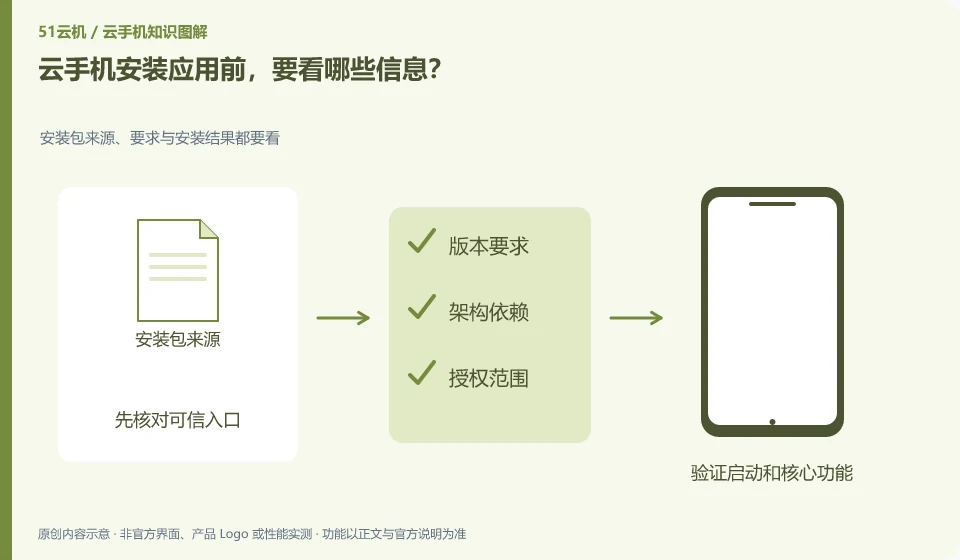
First look at the source, Android version, architecture requirements, permissions and account requirements. Applications with the same name may also have different regions or versions.
Understand the essentials
Installation is the starting point, and logging in, networking, saving and updating all require actual verification.
A practical example
Hypothetical example: After the application is installed, it is discovered that the system is too old, or a certain function relies on physical hardware, indicating insufficient pre-checking.
What to check or try
- Prioritize finding official distribution channels.
- Check system requirements.
- View necessary permissions.
- Use a test account to go through the core functions.
Before installation, you can also check whether the application has clear help and recovery channels. Being able to run it once does not mean it is suitable for long-term storage of data. Before official use, save and export at least once to confirm that you will not be trapped in a single environment in the future.
An easy-to-miss detail
Do not download so-called verification-free or modified versions to cover up compatibility issues.
Continue reading
- Leaving a cloud phone service: cleaning up accounts and data
- What is an APK, and why might a cloud phone need one?
Back to Cloud phones: apps and data
Notes and further reading
Google Play Integrity setup;Android app storage overview。
This introductory guide was prepared by 51Yunji from public information with AI-assisted drafting. Examples are hypothetical, not hands-on product tests or promises of results. Follow the current product, version and official instructions for specific features and procedures. Compiled on October 26, 2026.