
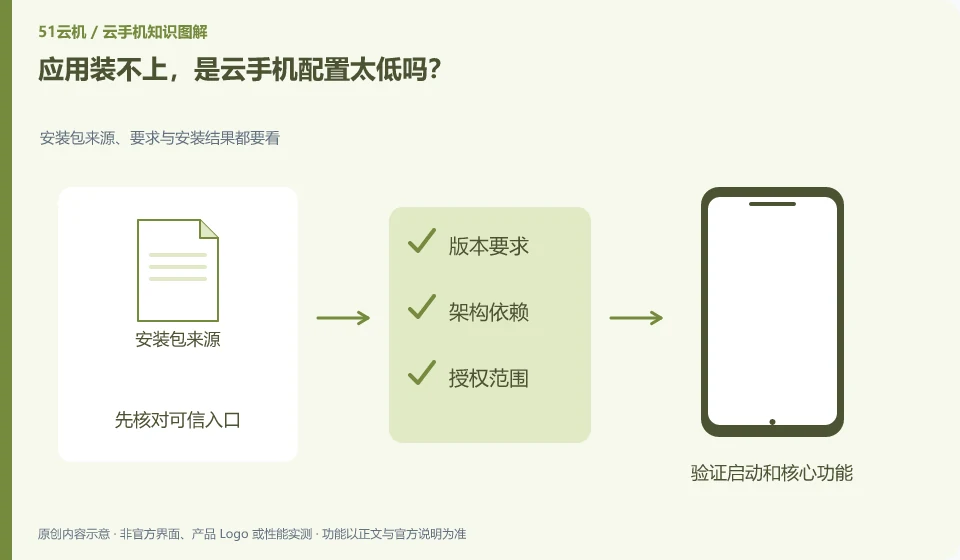
Not necessarily. System version, architecture, space, package integrity, and installation permissions can all cause failure. Read the error message first.
Understand the essentials
Insufficient running memory and incompatibility of the installation package are not the same reason, and upgrading the package may not be useful.
A practical example
Hypothetical example: “Parse failure” and “Insufficient space” provide different clues and cannot both be attributed to performance issues.
What to check or try
- Record the complete prompt.
- Check the system and space.
- Confirm the official installation package.
- Compare with supported examples.
First use a small range of known supported applications to confirm that the installation process itself is normal. If the sample can be installed but the target cannot, pay attention to the requirements of the target package; if everything fails, check the system and permissions again. This avoids trying many different installation packages aimlessly.
An easy-to-miss detail
Do not repeatedly install different packages from unknown sources to avoid turning compatibility issues into security issues.
Continue reading
- What is an APK, and why might a cloud phone need one?
- Does the same Android version guarantee app compatibility?
Back to Cloud phones: apps and data
Notes and further reading
Google Play Integrity setup;Android app storage overview。
This introductory guide was prepared by 51Yunji from public information with AI-assisted drafting. Examples are hypothetical, not hands-on product tests or promises of results. Follow the current product, version and official instructions for specific features and procedures. Compiled on October 26, 2026.