
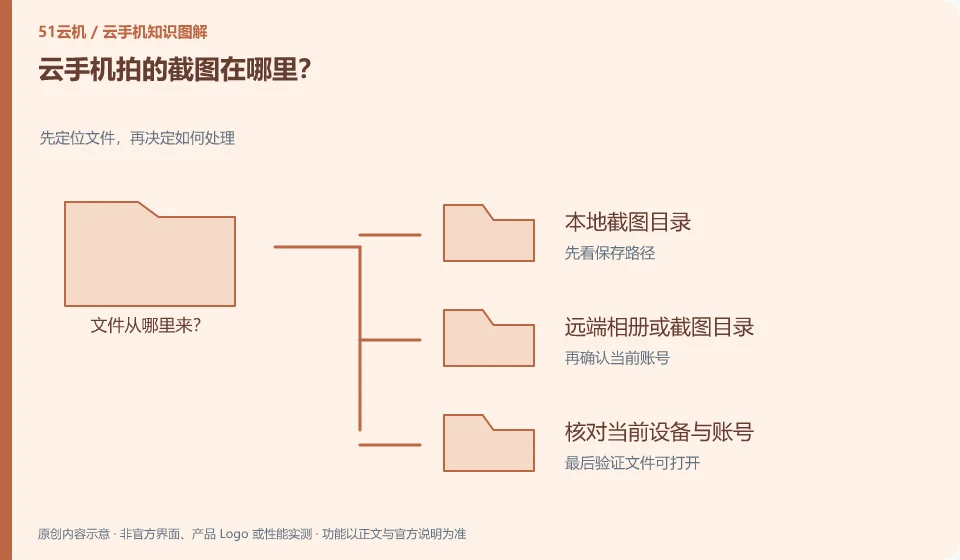
First look at which end the screenshot was generated from. Android system screenshots, client screenshots and local system screenshots may be saved in different locations.
Understand the essentials
The camera button on the toolbar does not necessarily call the remote system, it may also save the image directly to the local system.
A practical example
Hypothetical example: The picture is not found in the mobile phone album, but it may actually be saved in the download directory of the computer client.
What to check or try
- Take a screenshot of the test screen.
- View saving tips.
- Search remote and local respectively.
- Give important images clear names.
The screenshot file can be named with the question and date to help with future verification. If it is used to record operations, it is best to leave enough necessary context, but do not take out private notifications and accounts together. Once you know where to save it, decide whether you need a copy on the other side.
An easy-to-miss detail
Check notifications, accounts, and chat content before sharing. Screenshots are not naturally public information.
Continue reading
Back to Cloud phones: everyday use
Notes and further reading
Wuying Cloud Phone FAQ;Tencent Cloud Phone quick start。
This introductory guide was prepared by 51Yunji from public information with AI-assisted drafting. Examples are hypothetical, not hands-on product tests or promises of results. Follow the current product, version and official instructions for specific features and procedures. Compiled on October 26, 2026.