
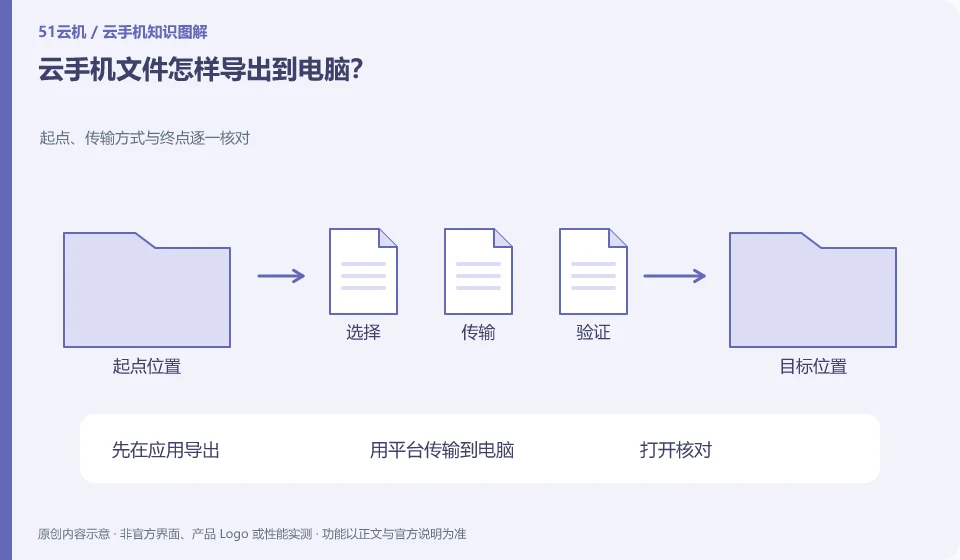
Select a supported download or export method and make sure you get the actual file and not a link that can only be opened in the original app.
Understand the essentials
The internal data of the application may need to be exported first, and directly copying a directory may not be complete.
A practical example
Hypothetical example: Notes can be seen in the app, but there are no separate files. You need to use the export function of the app.
What to check or try
- Export in the application first.
- Transfer to computer using platform.
- Open for verification.
- Save a separate copy before working on the original file.
Before batch exporting, select one or two representative materials and check whether the text, pictures and attachments are complete. All samples are processed after they pass. In this way, format or permission issues can be discovered while the original environment is still retained, instead of discovering missing content after exiting the service.
An easy-to-miss detail
Don't wait until your subscription expires before you try to export important content for the first time.
Continue reading
Back to Cloud phones: everyday use
Notes and further reading
Android app storage overview;Android app permissions overview。
This introductory guide was prepared by 51Yunji from public information with AI-assisted drafting. Examples are hypothetical, not hands-on product tests or promises of results. Follow the current product, version and official instructions for specific features and procedures. Compiled on October 26, 2026.