
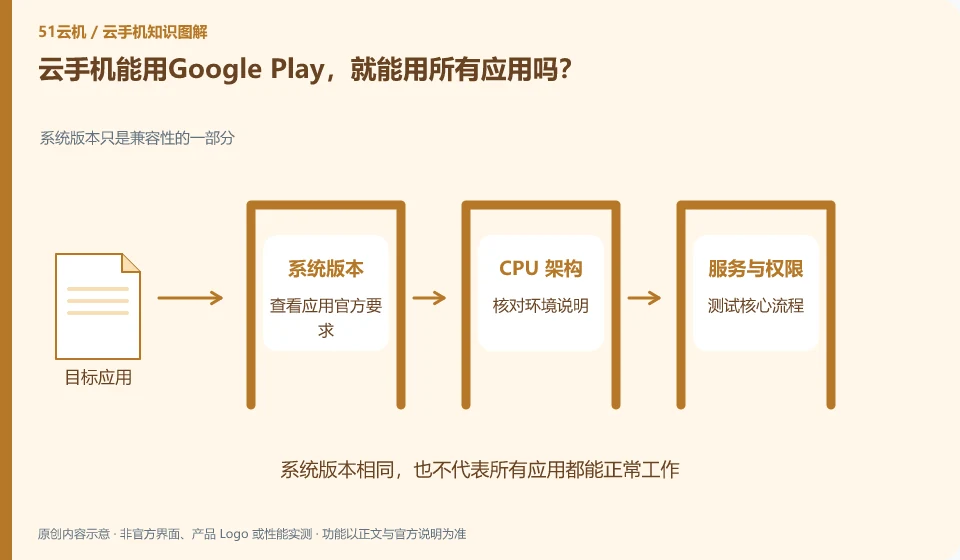
No. The availability of an app store and the willingness of an application to run in the device environment are different conditions.
Understand the essentials
Applications may check system integrity, device certification, region or hardware capabilities; being downloadable does not mean that all services can be completed.
A practical example
Hypothetical example: one tool works fine, but another application prompts that the device is not supported. There is no contradiction.
What to check or try
- Check the official application requirements.
- Check environmental statements.
- Test core processes.
- If you encounter restrictions, please use official support channels.
When the device does not support it, keep the original text prompt and differentiate between the app store, Android version and application certification. Platform customer service can confirm the environment scope, and application support can confirm its rules. The responsibilities of both parties are different, and it is not appropriate to fill it with unknown modification packages.
An easy-to-miss detail
There is no guarantee that Cloud Phone will pass all authentications, nor will it use methods to bypass integrity checks.
Continue reading
- Should you enable every app permission on a cloud phone?
- What to do when a cloud phone app stops working after an update
Back to Cloud phones: apps and data
Notes and further reading
Google Play Integrity setup;Wuying Cloud Phone FAQ。
This introductory guide was prepared by 51Yunji from public information with AI-assisted drafting. Examples are hypothetical, not hands-on product tests or promises of results. Follow the current product, version and official instructions for specific features and procedures. Compiled on October 26, 2026.