
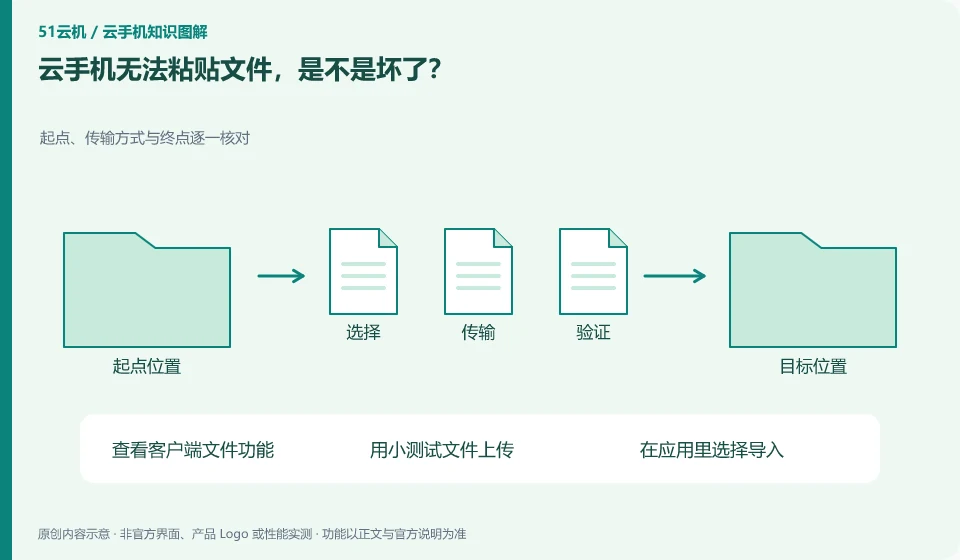
It may be that the current entry only supports text or specified type transmission. Clipboard and file upload are different functions.
Understand the essentials
Android apps may also only accept import via the file picker, and direct pasting will not trigger.
A practical example
Hypothetical example: Text can be pasted in, but pictures or installation packages cannot. This does not mean that the entire connection is abnormal.
What to check or try
- View client file functionality.
- Upload with a small test file.
- Select Import in the application.
- Confirm format and permissions.
You can start from the "Open, Import, Select File" entry of the target application to see what types it accepts. Compare the upload method provided by the client to complete a small file round trip. Make a note of the path when you succeed, so you don't have to rely on the confusing cross-portal clipboard in the future.
An easy-to-miss detail
Don't change the extension of unknown files to force past restrictions.
Continue reading
- Cloud phone camera stays black despite permission being enabled
- Repeated verification prompts when logging in to a cloud phone
Back to Cloud phones: troubleshooting
Notes and further reading
Android app storage overview;Android app permissions overview。
This introductory guide was prepared by 51Yunji from public information with AI-assisted drafting. Examples are hypothetical, not hands-on product tests or promises of results. Follow the current product, version and official instructions for specific features and procedures. Compiled on October 26, 2026.