
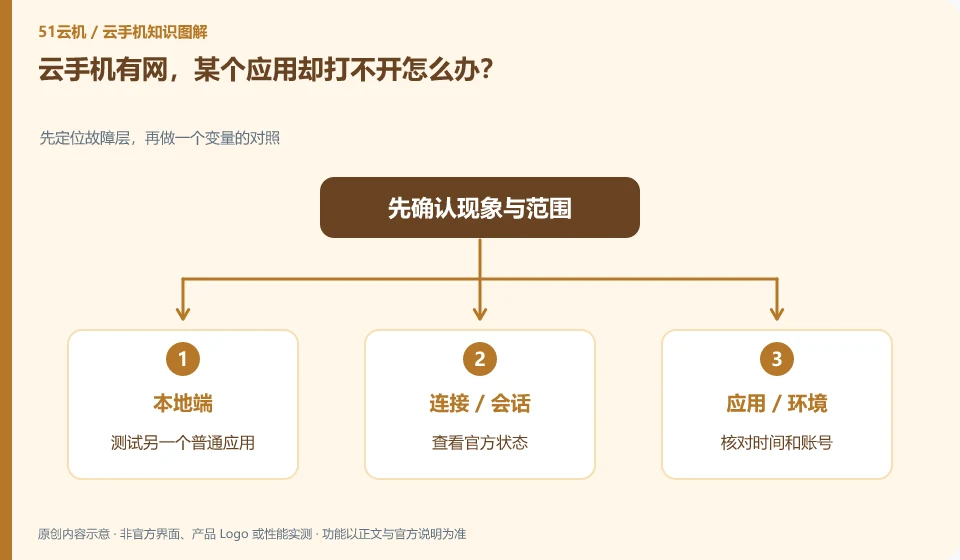
First check whether other applications can access the network, and then determine whether it is an application service, account or compatibility issue.
Understand the essentials
The remote system's normal network connection does not mean that the interface and authentication of each application are normal.
A practical example
Hypothetical example: the browser can access allowed websites, and an application only gives an error when logging in. The login error should be logged instead of resetting the network.
What to check or try
- Test another common application.
- Check official status.
- Check time and account number.
- Record specific aspects.
First compare the ordinary page of the application with specific actions such as login and upload. When only one of them fails, it may be a specific service or permissions issue. Recording accurate errors is more helpful for troubleshooting than simply saying that the network is disconnected, and there is no need to immediately change the network of the entire instance.
An easy-to-miss detail
Don’t try your luck by installing unknown proxies or tools that bypass regional restrictions.
Continue reading
- What to do when cloud phone storage is full
- Slow app downloads on a cloud phone: is the local network responsible?
Back to Cloud phones: troubleshooting
Notes and further reading
Wuying Cloud Phone FAQ;Tencent Cloud Phone quick start。
This introductory guide was prepared by 51Yunji from public information with AI-assisted drafting. Examples are hypothetical, not hands-on product tests or promises of results. Follow the current product, version and official instructions for specific features and procedures. Compiled on October 26, 2026.