
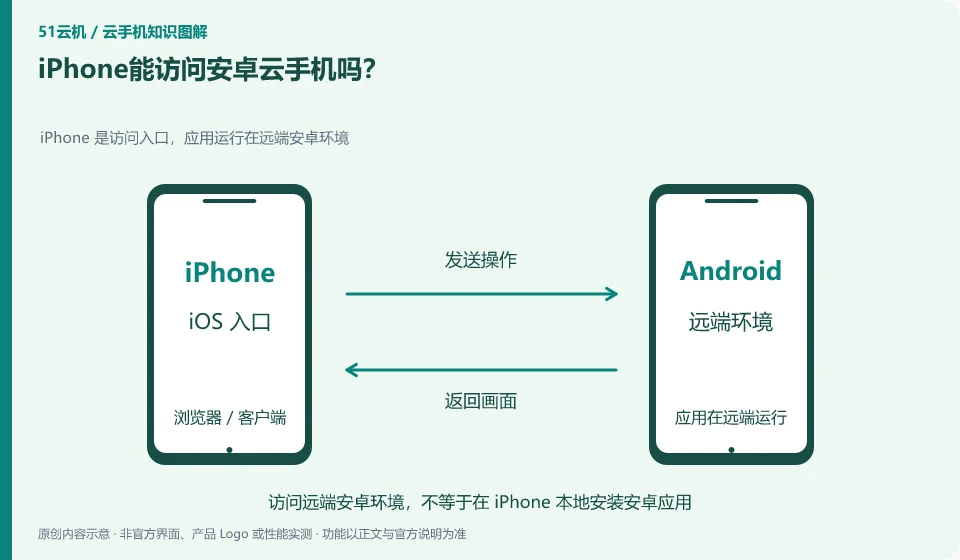
Some services can be accessed through supported browsers or clients. The remote system is still Android, and the iPhone itself will not be replaced by the Android system.
Understand the essentials
Capabilities such as access portals, file transfers, and cameras may be limited by service and browser support.
A practical example
Hypothetical example: when you see the Android settings interface, the actual operation is the remote environment, and the local iPhone data will not be automatically moved there.
What to check or try
- Check the official iOS access instructions.
- Test input, direction and return.
- Confirm which end the downloaded file actually exists on.
Actual availability should be checked separately for screens, inputs, files and necessary peripherals, not just successful logins. If a certain function is only supported on a designated entrance, select it according to the document; don't think that just because your friend can complete it on another mobile phone, your entrance must be the same.
An easy-to-miss detail
Being able to access remote Android does not mean that you can run all applications that are limited to a certain type of device.
Continue reading
Back to Cloud phones: getting started
Notes and further reading
Wuying Cloud Phone documentation;Tencent Cloud Phone quick start。
This introductory guide was prepared by 51Yunji from public information with AI-assisted drafting. Examples are hypothetical, not hands-on product tests or promises of results. Follow the current product, version and official instructions for specific features and procedures. Compiled on October 26, 2026.