
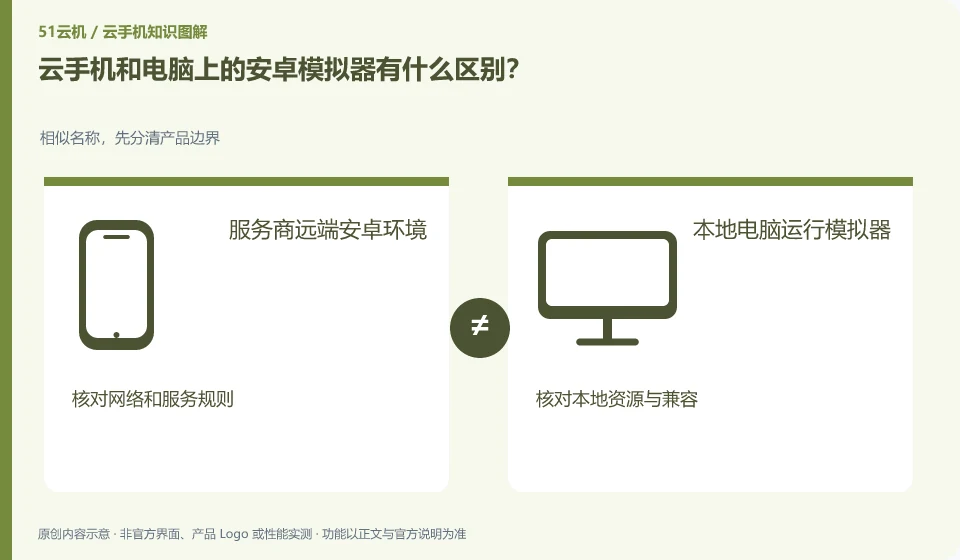
The difference lies first in the place of operation and the way of management. The simulator can be run on your own computer, while cloud phone usually places the environment remotely and is accessed by the platform.
Understand the essentials
The two may use different architectures and virtualization methods, and we cannot simply say that one is naturally faster or naturally compatible.
A practical example
Hypothetical example: the local simulator occupies local resources, and the remote cloud phone relies additionally on network and service rules.
What to check or try
- Compare actual applications, versions and input experiences.
- Verify data saving.
- Test the same task.
- Then look at the total cost.
Comparisons should focus on the same application and task, and take into account preparation, installation, use, and retrieval of data. Local resources and remote dependence on the network each have their own costs. Don’t draw conclusions about who is better overall based on just one smooth video.
An easy-to-miss detail
Don’t take promotional words such as “native” and “high emulation” as evidence of full application compatibility.
Continue reading
- Is a cloud phone a real phone controlled remotely?
- Cloud phone or cloud PC: how should an everyday user choose?
Back to Cloud phones: getting started
Notes and further reading
Wuying Cloud Phone documentation;Tencent Cloud Phone quick start。
This introductory guide was prepared by 51Yunji from public information with AI-assisted drafting. Examples are hypothetical, not hands-on product tests or promises of results. Follow the current product, version and official instructions for specific features and procedures. Compiled on October 26, 2026.