
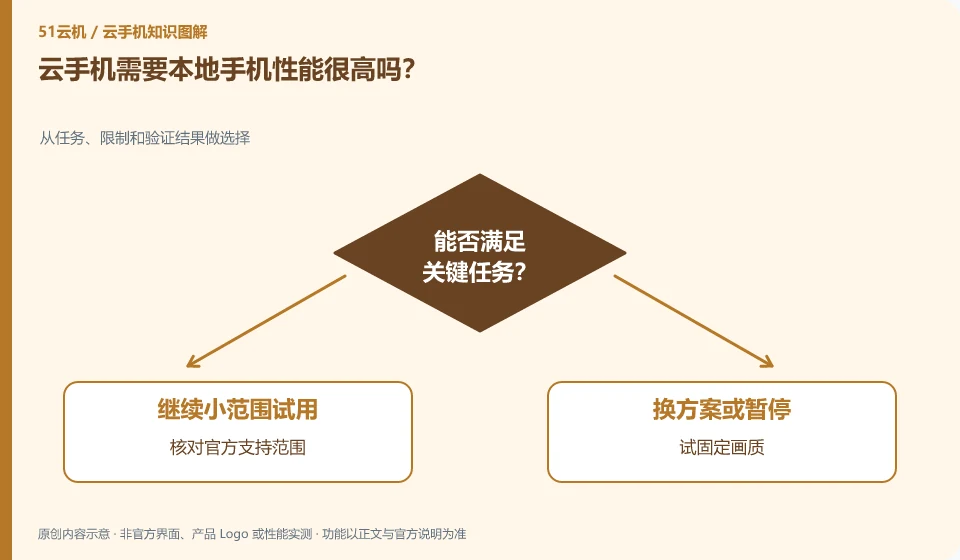
The local burden may be reduced, but you still have to decode images, network, and process input. Weak devices also need to meet client requirements.
Understand the essentials
Screen, touch, system support and network affect the experience, and remote configuration cannot solve all problems locally.
A practical example
Hypothetical example: the same remote instance is on two devices, one is smooth and the other is stuck, which may be related to local processing.
What to check or try
- Check official support coverage.
- Try fixing the image quality.
- Observe heating and operation.
- Compare to another device or network.
When trying it out, use the text, controls, and media you actually want to see, and continue to operate it for a period of time. Just because a certain video clip is smooth doesn't mean it's comfortable to input for a long time. If the local area is severely overheated or the system is not supported, solve the entry conditions first and then consider adding remote resources.
An easy-to-miss detail
Don't understand "low configuration and accessibility" to mean that any old system is suitable for long-term login to important accounts.
Continue reading
- Cloud phone or cloud PC: how should an everyday user choose?
- Can you access a cloud phone from a computer?
Back to Cloud phones: getting started
Notes and further reading
Wuying Cloud Phone documentation;Tencent Cloud Phone quick start。
This introductory guide was prepared by 51Yunji from public information with AI-assisted drafting. Examples are hypothetical, not hands-on product tests or promises of results. Follow the current product, version and official instructions for specific features and procedures. Compiled on October 26, 2026.