
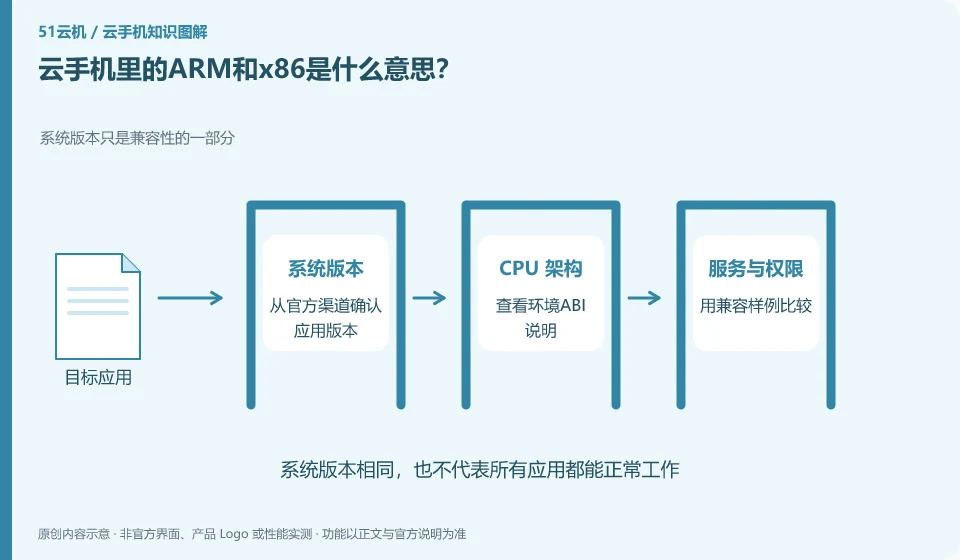
They are processor instruction set related concepts. If the application contains native code, it needs to match the architecture supported by the environment.
Understand the essentials
Not all Android applications have only one code, nor does the word ARM guarantee that all functions will work properly.
A practical example
Hypothetical example: If an application containing a specific native library cannot be opened after installation, you may need to check its architecture support.
What to check or try
- Confirm the app version from official channels.
- See the environment ABI description.
- Compare with compatible samples.
- Leave error reports to support.
Ordinary users do not necessarily need to analyze the internal structure of the installation package by themselves. They can first confirm the supported architecture through official channels. When asking the platform for help, just provide the application source, version and errors. There is no need to hand over the entire private environment just to look up a technical term.
An easy-to-miss detail
Do not randomly install modified APKs to solve architectural problems.
Continue reading
Back to Cloud phones: getting started
Notes and further reading
Wuying Cloud Phone documentation;Tencent Cloud Phone quick start。
This introductory guide was prepared by 51Yunji from public information with AI-assisted drafting. Examples are hypothetical, not hands-on product tests or promises of results. Follow the current product, version and official instructions for specific features and procedures. Compiled on October 26, 2026.