
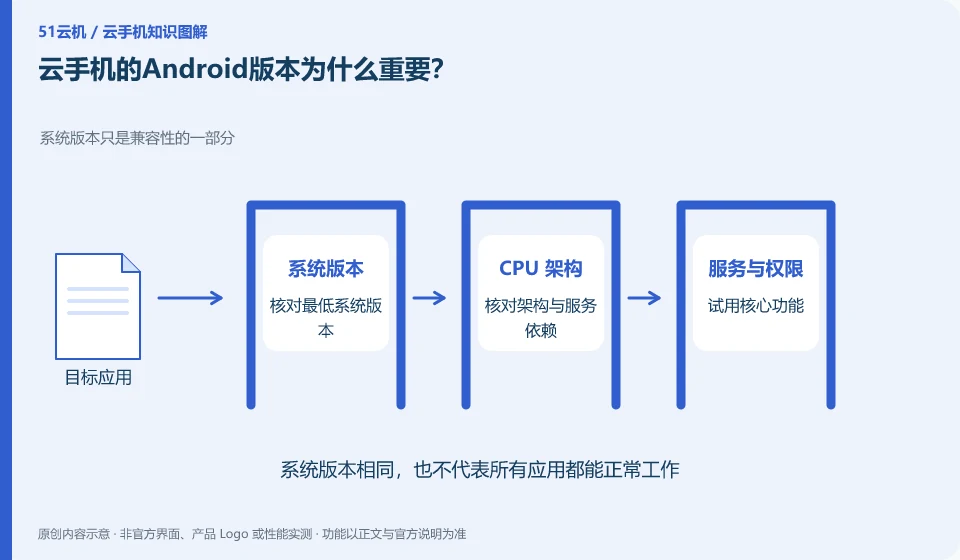
Apps may require minimum system versions or specific capabilities. Cloud phone plans with the same name may also use different Android images.
Understand the essentials
The version affects API and permission behavior, but the same version does not guarantee the same architecture, services and hardware capabilities.
A practical example
Hypothetical example: an application can be installed on one instance, but is not supported on another old system instance. Check the minimum version requirements first.
What to check or try
- Record system version.
- Check the official application requirements.
- Confirm whether the image can be replaced or upgraded.
- Export important data before upgrading.
When recording the version, also note the instance plan and image name. Only after the environment is updated or rebuilt can you know whether the test results still apply. For key applications, first verify them in the new environment before migrating official data to avoid treating version upgrades as an inevitable operation.
An easy-to-miss detail
Don't rebuild a single environment directly for the upgrade. First, understand the impact on files and applications.
Continue reading
Back to Cloud phones: getting started
Notes and further reading
Wuying Cloud Phone documentation;Tencent Cloud Phone quick start。
This introductory guide was prepared by 51Yunji from public information with AI-assisted drafting. Examples are hypothetical, not hands-on product tests or promises of results. Follow the current product, version and official instructions for specific features and procedures. Compiled on October 26, 2026.