
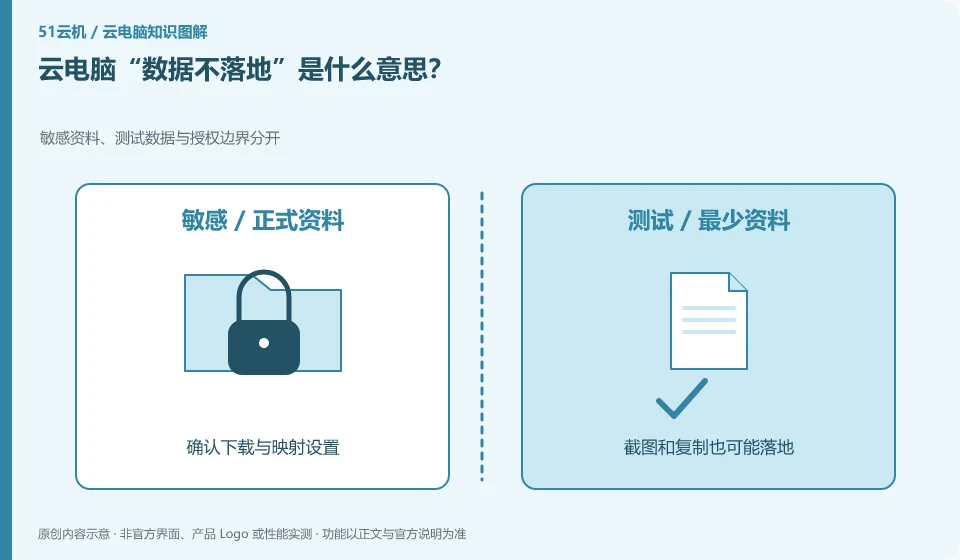
It generally means that the main business data remains in a controlled remote environment, but whether downloading, copying, printing or caching is allowed depends on the actual policy. It doesn't leave absolutely no trace.
Understand the essentials
The screen itself presents information, and peripherals, screenshots, clipboards, and browser caches may form other paths. You can’t judge based on promotional words alone.
A practical example
Hypothetical example: The company prohibits downloading files but allows printing. There are still ways to take content out of the environment, which should be used according to tasks and rules.
What to check or try
- Check file transfer, clipboard and printing policies.
- No private ways to bypass restrictions.
- Go through the authorization process when you need to take away information.
Ordinary users do not need to memorize all security terms first, but only need to check along the data flow path: whether it can be copied, whether it can be downloaded, which printer it will be transferred to, and who can see the screen. It is clearer to lay out what is actually allowed than to just believe a slogan.
An easy-to-miss detail
This statement is not a substitute for complete privacy or security instructions, and it does not mean that anyone will not be able to see your content.
Continue reading
- Restart, reset or restore: what is the difference on a cloud PC?
- How are cloud PCs and cloud gaming related?
Back to Cloud PCs: getting started
Notes and further reading
Azure Virtual Desktop overview;Windows 365 Enterprise。
This introductory guide was prepared by 51Yunji from public information with AI-assisted drafting. Examples are hypothetical, not hands-on product tests or promises of results. Follow the current product, version and official instructions for specific features and procedures. Compiled on October 26, 2026.