
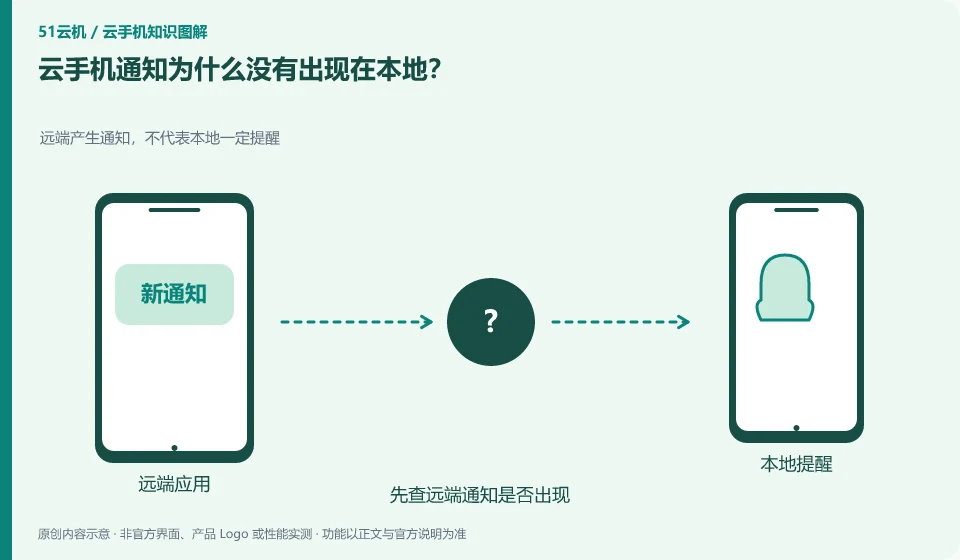
Just because a remote application generates a notification does not mean that the client will convert it into a notification on your local system. Both need to be explicitly supported by the product.
Understand the essentials
Android application permissions, power saving policies, and account status may also cause notifications to be delayed or not appear.
A practical example
Hypothetical example: only seeing new messages after entering the cloud indicates that the information may have remained in the remote environment.
What to check or try
- First check whether the remote notification appears.
- Let’s look at the client’s forwarding capabilities.
- Check necessary permissions.
- Verify with test message.
You can use a test notification to establish a link: whether the application is generated, whether Android displays it, whether the client forwards it, and whether it is allowed locally. It is clearer to judge layer by layer than to reinstall repeatedly. If the product does not originally provide local forwarding, the usage should be adjusted.
An easy-to-miss detail
Do not rely solely on unacknowledged forwarding links for time-critical messages.
Continue reading
- Can you set an alarm on a cloud phone?
- Why can cloud phone video quality differ from the original video?
Back to Cloud phones: everyday use
Notes and further reading
Wuying Cloud Phone FAQ;Tencent Cloud Phone quick start。
This introductory guide was prepared by 51Yunji from public information with AI-assisted drafting. Examples are hypothetical, not hands-on product tests or promises of results. Follow the current product, version and official instructions for specific features and procedures. Compiled on October 26, 2026.