
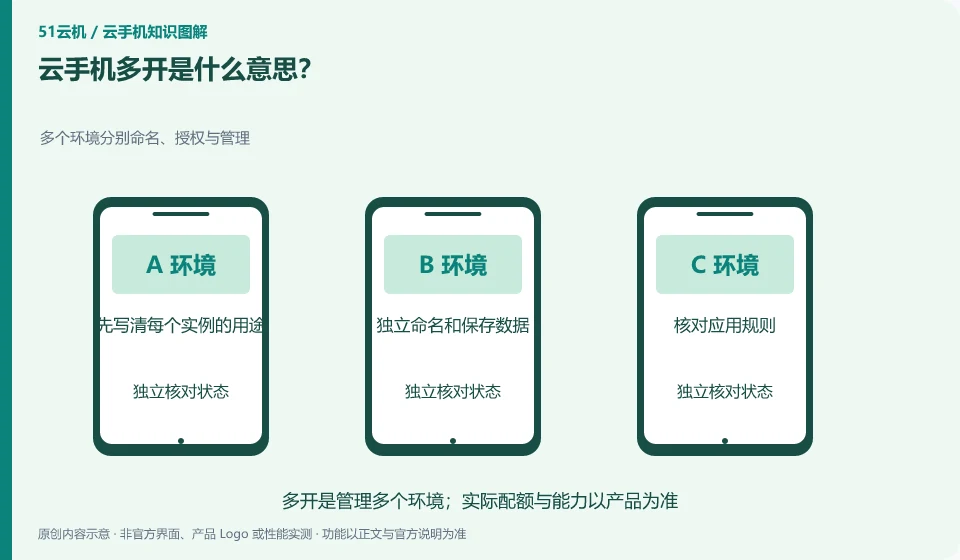
Usually refers to having or running multiple Android environments at the same time. It is a resource and management capability and does not mean that the application automatically allows multiple accounts or batch operations.
Understand the essentials
Multiple instances increase resource, permission, and data management burdens, and operation broadcasts can also amplify errors.
A practical example
As a hypothetical example: there is a legitimate need for learning to test different system versions, but not all daily tasks require multiple instances.
What to check or try
- First write down the purpose of each instance.
- Name and save data independently.
- Check application rules.
- Compare all costs.
For multi-instance management, it is best to make a usage table first to distinguish the resettable test environment and the data environment that needs to be retained. Checking the goals one by one before taking batch actions is more reliable than relying on the order of the list. After a small-scale verification is successful, it will be decided whether to expand to more instances.
An easy-to-miss detail
Do not use multiple instances as a means to circumvent platform rules, brush traffic, or impersonate users.
Continue reading
Back to Cloud phones: getting started
Notes and further reading
Wuying Cloud Phone documentation;Tencent Cloud Phone quick start。
This introductory guide was prepared by 51Yunji from public information with AI-assisted drafting. Examples are hypothetical, not hands-on product tests or promises of results. Follow the current product, version and official instructions for specific features and procedures. Compiled on October 26, 2026.