
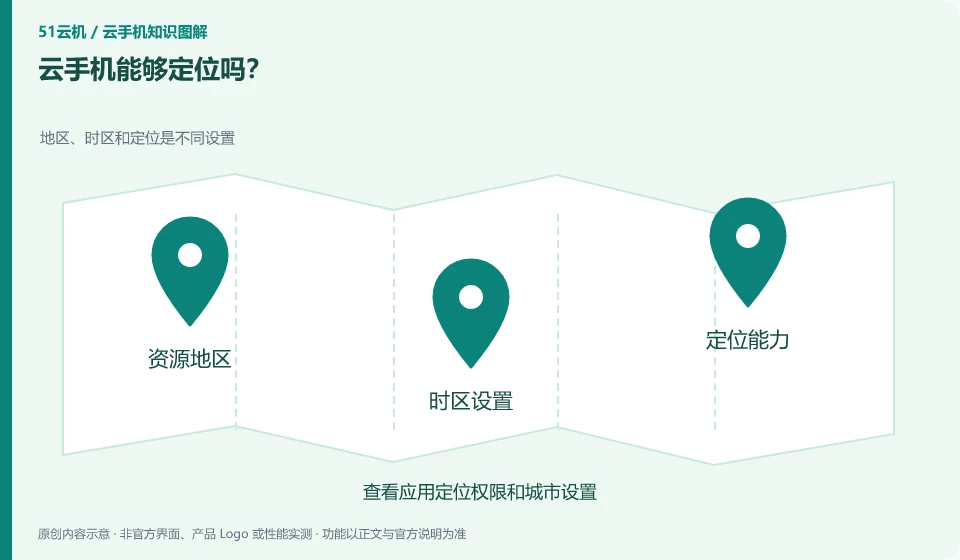
Distinguish between remote network location, system location data, and local device location. What the application sees depends on the capabilities and environment settings it uses.
Understand the essentials
The area where the network exit is located is not equal to the real GPS location of the mobile phone, nor can all positioning paths be inferred from one interface.
A practical example
Hypothetical example: the city displayed by the weather app is different from the local one, possibly from the remote network or from settings saved by the app.
What to check or try
- Review app location permissions and city settings.
- Check product location functionality.
- Required capabilities are verified only in authorized testing.
When troubleshooting the displayed city, you can first check the city and permissions manually selected by the application, and then check the network exit. Different sources may exist simultaneously, and changing one will not necessarily change all applications. Just record the observations and do not regard the interface display as real geographical proof.
An easy-to-miss detail
Do not use location capabilities to circumvent service area restrictions or mislead others.
Continue reading
Back to Cloud phones: getting started
Notes and further reading
Wuying Cloud Phone documentation;Tencent Cloud Phone quick start。
This introductory guide was prepared by 51Yunji from public information with AI-assisted drafting. Examples are hypothetical, not hands-on product tests or promises of results. Follow the current product, version and official instructions for specific features and procedures. Compiled on October 26, 2026.