
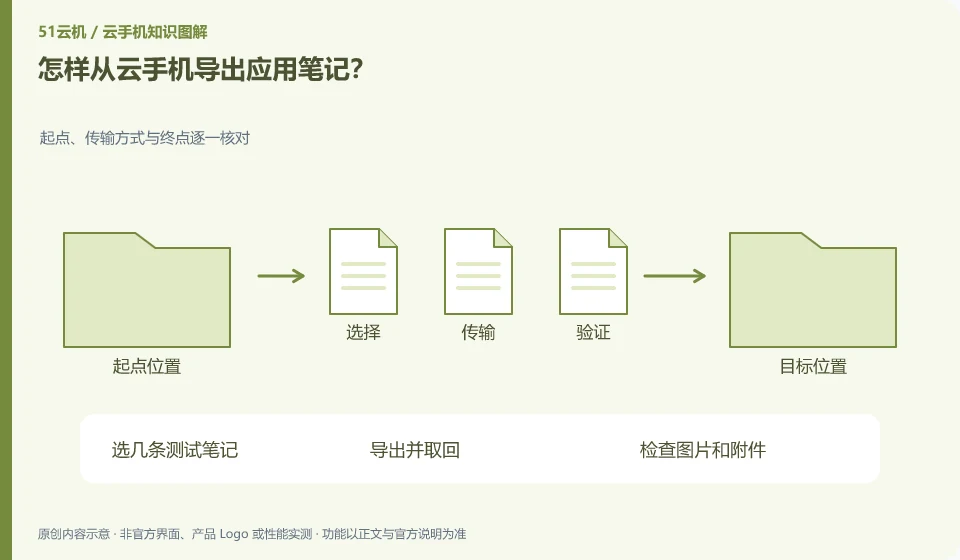
Prioritize using the app's own export or sync functions, and then confirm that the output format can be read elsewhere. Screenshots are only suitable for a small amount of auxiliary retention.
Understand the essentials
Different applications may export text, PDF or specialized formats, and specialized formats may still require the original software.
A practical example
Hypothetical example: If you see notes in your account but cannot open them offline, you should export the universal version.
What to check or try
- Select a few test notes.
- Export and retrieve.
- Check pictures and attachments.
- Check the ordering and text encoding.
- Process in batches again.
Different formats serve different purposes: universal formats for easy reading, backups supported by the original application for continued editing. Keep it when conditions permit, and write down which software is needed for recovery. You cannot assume that the data has been saved independently just by seeing the export button appear.
An easy-to-miss detail
Verify the sample first and then operate everything to avoid batch export and then discover that attachments are missing.
Continue reading
- Is a cloud phone suitable for long-term photo storage?
- Too many cloud phone permission requests: how to assess them
Back to Cloud phones: apps and data
Notes and further reading
Android app storage overview;Android app permissions overview。
This introductory guide was prepared by 51Yunji from public information with AI-assisted drafting. Examples are hypothetical, not hands-on product tests or promises of results. Follow the current product, version and official instructions for specific features and procedures. Compiled on October 26, 2026.