
Save the current work, confirm the export results, and then exit the application or disconnect as needed. Different exit actions have different effects.
Understand the essentials
Just returning to the homepage may still retain the account and background tasks; just turning off the client may continue to occupy remote resources.
A practical example
Hypothetical example: After using the shared entrance, you should confirm that others cannot directly enter your logged-in application.
What to check or try
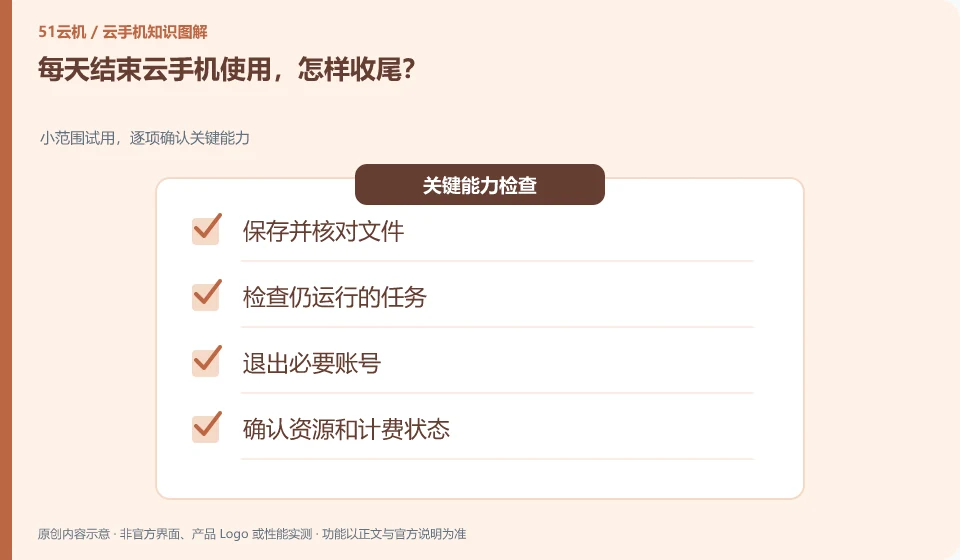
- Save and verify the file.
- Check for tasks that are still running.
- Log out of necessary accounts.
- Confirm resources and billing status.
You can do a short check before the end: has the data been saved, does the task need to be continued, does the account need to be logged out, and do the resources need to be stopped. By treating the four issues separately, it will be less likely to mistake a close button for the end of everything.
An easy-to-miss detail
Don’t think of clearing cache as logging out of your account, and don’t misuse reset to end your day.
Continue reading
Back to Cloud phones: everyday use
Notes and further reading
Wuying Cloud Phone FAQ;Tencent Cloud Phone quick start。
This introductory guide was prepared by 51Yunji from public information with AI-assisted drafting. Examples are hypothetical, not hands-on product tests or promises of results. Follow the current product, version and official instructions for specific features and procedures. Compiled on October 26, 2026.