
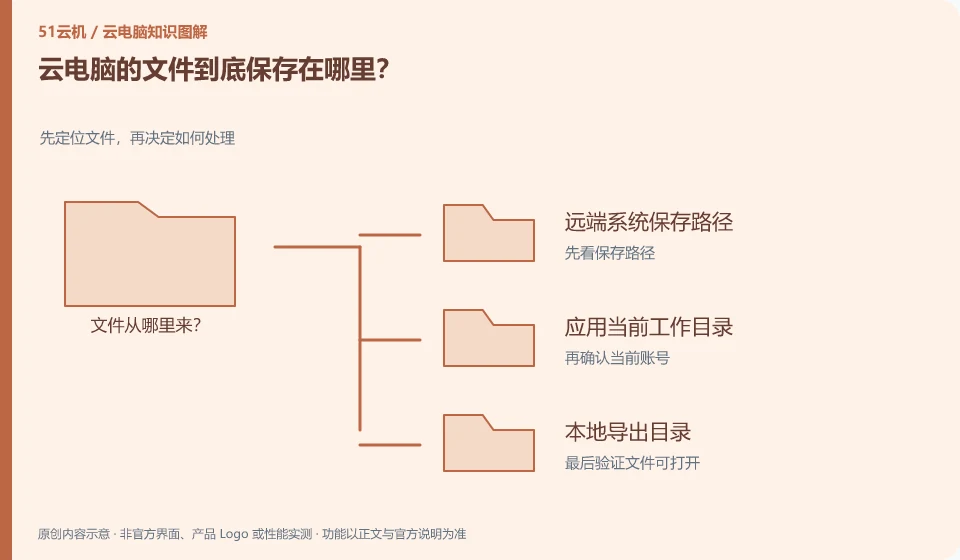
Usually saved on the remote system or its connected storage, but downloads, synchronizations and shared disks may place copies elsewhere. Depends on the actual path.
Understand the essentials
The "desktop" you see may be a cloud desktop, not a local desktop. The similar interface makes it easy for people to misjudge the file ownership.
A practical example
Hypothetical example: after downloading a file in the cloud browser, the local download folder is not found. It may be that the file is left on the remote system instead of being lost.
What to check or try
- Open the file location to view the full path.
- Give the test file a unique name.
- Search for confirmation remotely and locally.
It's a straightforward exercise to give the file an unusual test name and then look at the path from the application's "Save As" window. By transferring this file back locally and opening it, you can establish an understanding of the two file systems, and it will be easier to troubleshoot downloads and backups later.
An easy-to-miss detail
Cloud storage does not mean that it has been backed up. Important files should also have independent copies and recovery methods verified.
Continue reading
- Can an old laptop still access a cloud PC?
- Does closing the cloud PC window shut down the remote computer?
Back to Cloud PCs: getting started
Notes and further reading
Azure Virtual Desktop overview;Windows 365 Enterprise。
This introductory guide was prepared by 51Yunji from public information with AI-assisted drafting. Examples are hypothetical, not hands-on product tests or promises of results. Follow the current product, version and official instructions for specific features and procedures. Compiled on October 26, 2026.