

CLOUD PHONES
Aiyuntu connection problems or lag: start with these checks
Organize network, restart and data expiration checks according to Aiyuntu official FAQ, and distinguish between cloud hosting and local operation connections.
Aiyuntu official website introduces ARM server and container Android virtualization solutions.
Organize network, restart and data expiration checks according to Aiyuntu official FAQ, and distinguish between cloud hosting and local operation connections.
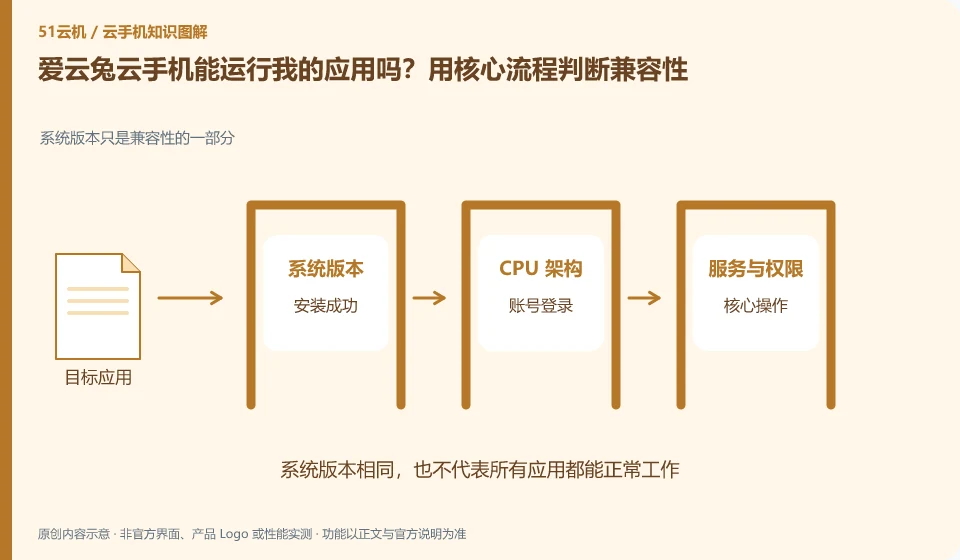
Aiyuntu cloud phone: Being able to install it does not mean that it can complete the task. To determine compatibility, you must at least cover startup, login, key operations, sounds or peripherals, and reconnection after disconnection; if you only look at the homepage that can be opened, it is easy to miss the restrictions that appear when you are actually using it.
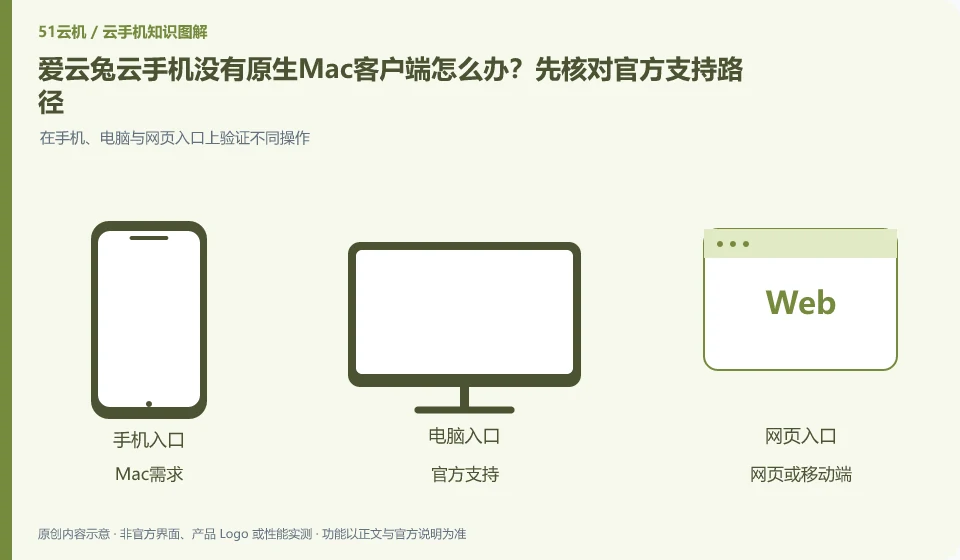
Aiyuntu cloud phone: Just because the official website only lists Windows downloads, you cannot assume that Mac cannot be used at all; nor can you use other brands of Mac versions as clients of this product. You should first check the official web portal, mobile terminal and current system support range.
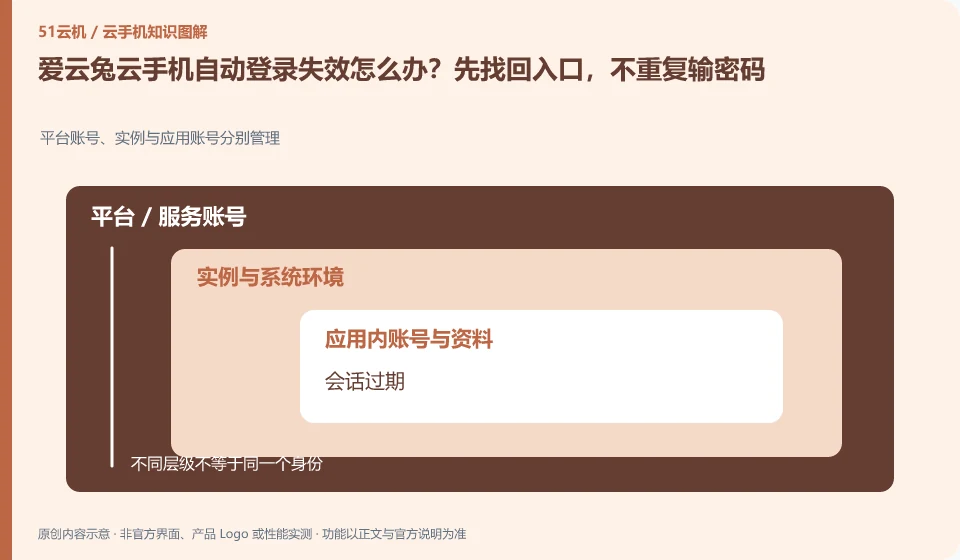
Aiyuntu cloud phone: Automatic login failure may just be that the session has expired, which does not mean that the device has disappeared or the password has been stolen. First confirm the client version, network and login channel, and then log in again through the official website; continuous password guessing may trigger additional security restrictions.
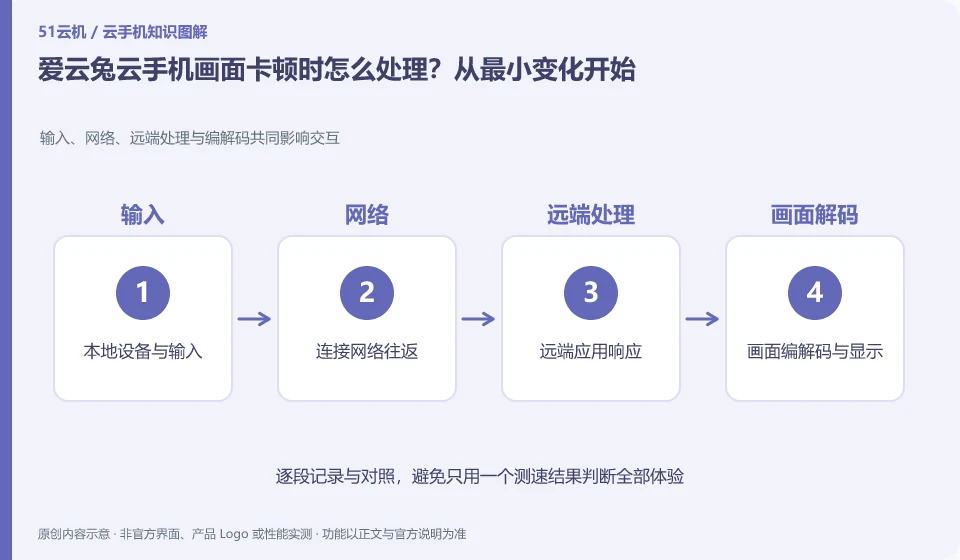
Aiyuntu cloud phone: First determine whether the entire interface is stuck or a single application is slow, and then decide to reduce the image quality, change the local network or check the application status. Continuous restarts and replacements may temporarily change the phenomenon, but make it difficult to reproduce the original fault and may also introduce data risks.
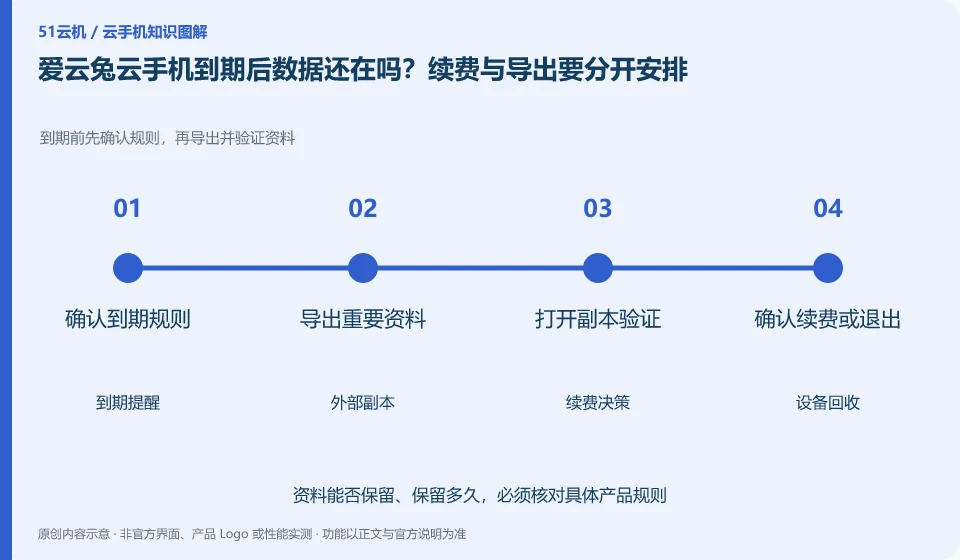
Aiyuntu cloud phone: Don’t think that being able to renew before expiration means that there is still an infinite recovery window after expiration. Cloud Phone is a leased environment with a life cycle, and local files, application login status, and the device itself may be affected by recycling rules.
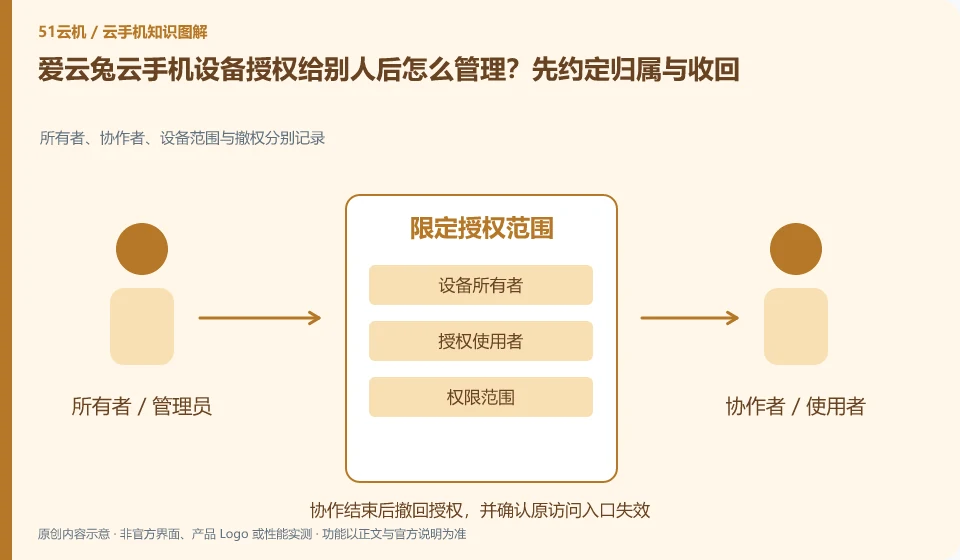
Aiyuntu cloud phone: The goal of authorization is to allow designated people to use designated devices, and should not be equivalent to handing over ownership of the main account. The authorization models of different products may affect whether both parties can control it at the same time, who can revoke it, and whether it will continue to be valid after changing the device. This should be checked before use.
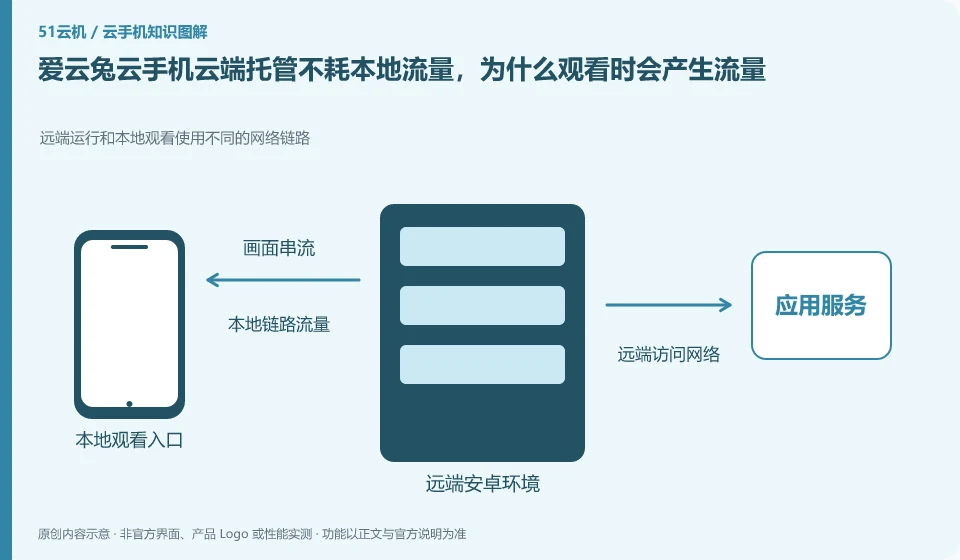
Aiyuntu cloud phone: When hosting, the application runs in the cloud; when the control interface is opened, the local device needs to receive video, sound and upload operations. Therefore, "hosting consumes no local traffic" cannot be understood to mean that viewing and control also consume zero traffic. The two states must be separated.