
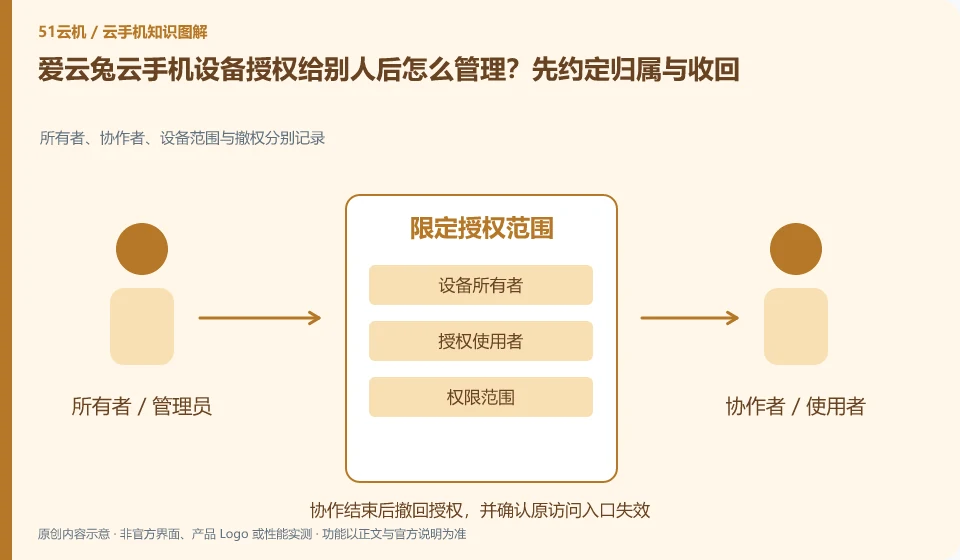
Regarding Aiyuntu cloud phone, the key to this issue is: the goal of authorization is to allow designated people to use designated devices, and should not be equivalent to handing over ownership of the main account. The authorization models of different products may affect whether both parties can control it at the same time, who can revoke it, and whether it will continue to be valid after changing the device. This should be checked before use.
Known information about Aiyuntu cloud phone and the key points of this verification
Aiyuntu official website introduces ARM server and container Android virtualization solutions. The official FAQ differentiates between hosting and remote viewing traffic, and provides instructions on authorization, failure, and expiration.
The help page mentions methods such as designated users or authorization codes. Specific simultaneous control and revocation rules should be reviewed based on the current authorization page.
The evidence boundaries of this article are: the help page version span is large; the free rights, models and recovery time must be reviewed in the current order.
How this issue applies to this product
The Aiyuntu help page mentions assistance methods such as designated users or authorization codes. For actual use, you should first check which one is supported by the current version, as well as the rules for simultaneous control and revocation. The entrance in the old help only provides reading clues, which does not mean that every model uses the same menu, nor does it mean that handing over the entire platform account to others is a necessary step.
If you ask someone to help handle installation exceptions, first prepare to independently test the cloud machine and write down the allowed operating range. Record the device number before authorization, verify what the other party can see after authorization, and check whether access has been revoked at the end. The third-party application account in the cloud machine may still be logged in. Even if the platform authorization is revoked, you should review whether there are any new bindings or files left behind. Account trading is not the same activity as ordinary remote assistance. This article does not provide a risk-free resale commitment, and important recovery channels are always kept by me.
If a certain assistance does not require contact with the real application account, you can first reproduce it in a blank environment to reduce the amount of data brought out by authorization. Discuss the scope of necessary information when the reproduction is incomplete. The full environment should not be provided at the beginning for convenience, nor should the platform support identity be used as a reason for unlimited access.
Understand what this question covers
Before handing it over to others, write down the scope of the task and data retention requirements, and export data that should not be modified. After the borrowing is completed, not only will the platform authorization be revoked, but also whether new accounts, files or other access channels have been added to the cloud App to prevent residual status from affecting subsequent use.
Check in this order
- Check the authorization method, device scope and withdrawal entry.
- Use a test account to verify what users can see and do.
- When finished, revoke and review app logins and files, and update device inventory.
Sources and scope
Sources checked on October 26, 2026. This article combines AI-assisted research of public information with independent analysis and verification suggestions; we have not conducted a hands-on test of this product. Features and costs depend on the current official documentation and your order.
Continue reading:Cloud phone basics · Cloud phone troubleshooting guide · Brand reference directory。
Related questions to explore
- Why does viewing Aiyuntu use data when background cloud hosting does not?
- Aiyuntu subscription expiry: plan renewal and file export separately
- Aiyuntu screen lag: start with the smallest change
Back to the brand and product knowledge directory · Browse cloud phone topics