
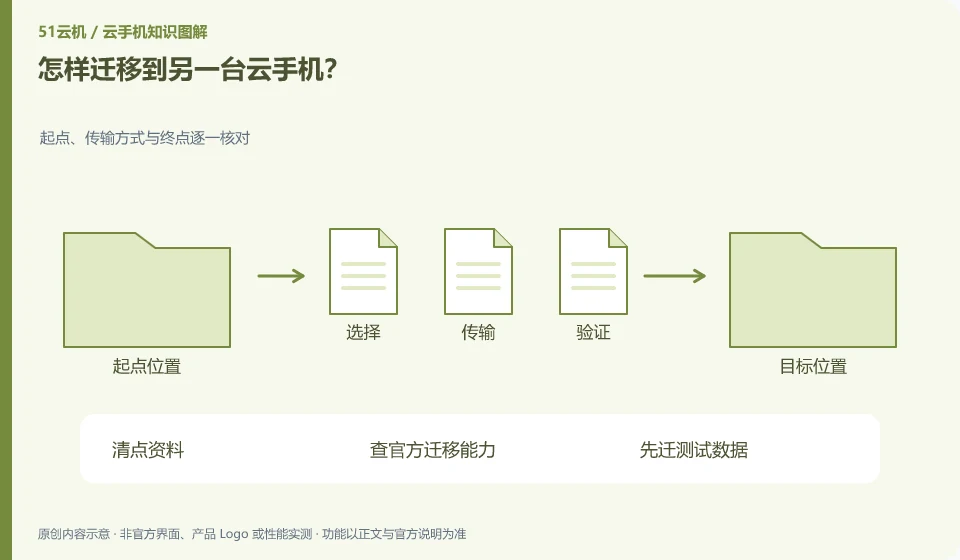
First, distinguish between application account synchronization, file transfer and overall environment migration. Not all platforms support full image migration or cross-region relocation.
Understand the essentials
The application login status and device binding may change, and copying files may not copy the application private status.
A practical example
Here's a hypothetical example: Transferring images to a new instance is easy, but applying drafts, settings, and authentication may require additional processes.
What to check or try
- Take inventory.
- Check official migration capabilities.
- Migrate test data first.
- Verify the new environment item by item before working on the old environment.
The standard for completion of the migration should be that the new environment can open and continue to use key data, not that the number of files looks similar. Check the account, attachments and settings before arranging the exit of the old environment. It is also necessary to prevent editing conflicts when two environments exist at the same time.
An easy-to-miss detail
Do not release the old instance as the first step of migration.
Continue reading
- Can you recover files after a cloud phone subscription expires?
- Is a cloud phone suitable for long-term photo storage?
Back to Cloud phones: apps and data
Notes and further reading
Anbox instances and backup boundaries;Redfinger International Version FAQ。
This introductory guide was prepared by 51Yunji from public information with AI-assisted drafting. Examples are hypothetical, not hands-on product tests or promises of results. Follow the current product, version and official instructions for specific features and procedures. Compiled on October 26, 2026.