
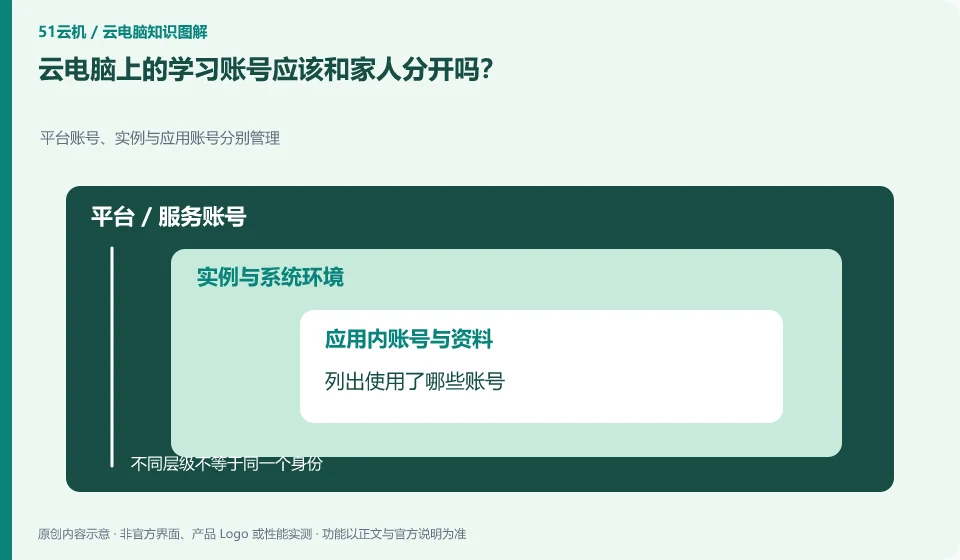
Separation makes it easier to separate file, subscription, and recovery responsibilities. At least don't let multiple family members share signed-in important apps for long periods of time.
Understand the essentials
System users, cloud service accounts and learning platform accounts may be independent, and logging out of one of them does not mean logging out of the others.
A practical example
As a hypothetical example: After a child logs out of the desktop, the browser learning platform may remain logged in.
What to check or try
- List which accounts are used.
- Turn on additional verification supported by each service.
- Record the retrieval method.
- Exit item by item when you end shared use.
Family members can help confirm the page and steps, but important passwords and verifications are still handled by the account owner in an appropriate manner. On shared devices, especially check whether the browser automatically saves the account and allows the next user to enter after it is completed.
An easy-to-miss detail
Do not write passwords into assignments or screenshots, and do not put backup verification codes on the same public desktop.
Continue reading
Back to Cloud PCs: learning and home use
Notes and further reading
Cloud PC access methods and client prerequisites;Azure Virtual Desktop overview。
This introductory guide was prepared by 51Yunji from public information with AI-assisted drafting. Examples are hypothetical, not hands-on product tests or promises of results. Follow the current product, version and official instructions for specific features and procedures. Compiled on October 26, 2026.