
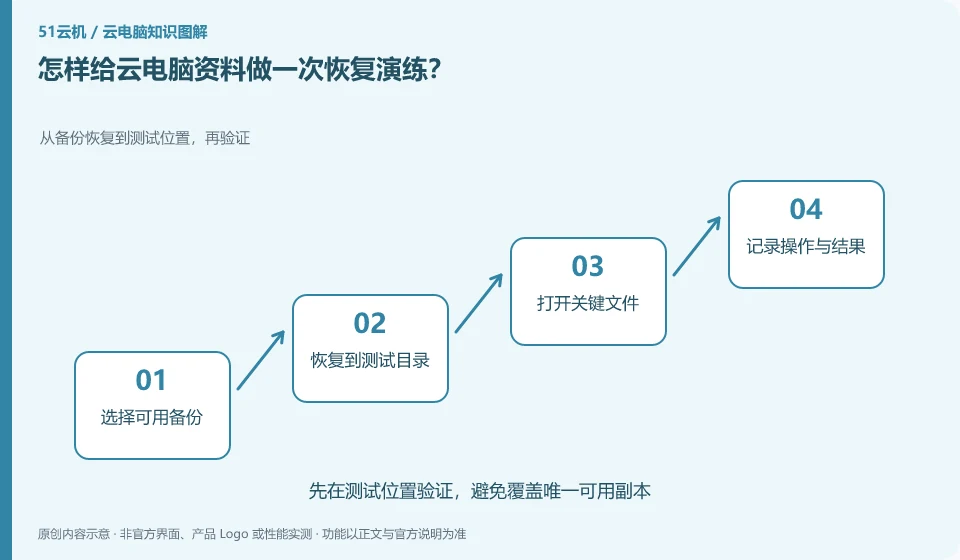
Use non-sensitive test files to verify the process of retrieval from backup. You don't have to wait for the official files to be lost before you learn to restore them.
Understand the essentials
Backups are visible, downloadable, decryptable and openable are several different aspects.
A practical example
Here's a hypothetical example: an encrypted backup cannot find the password, and the file cannot be used even though it exists.
What to check or try
- Create test profiles.
- Back up according to normal procedures.
- Save the recovery copy as a separate copy.
- Open for verification.
- Record steps and dependencies.
The restored copy should be placed in a new directory, and the content should be compared with the original file. Do not directly overwrite the official results. After the exercise is successful, note down the time taken and dependencies. If the process requires old equipment, private paths, or forgotten passwords, these are all things that must be filled in later.
An easy-to-miss detail
Don't create drill mishaps by deleting files in the only formal environment.
Continue reading
- Are cloud PC backups and synchronization the same thing?
- Long cloud PC documentation: how to find what you need
Back to Cloud PCs: AI and ongoing use
Notes and further reading
Restart, restore and reset Cloud PC;Cloud PC access methods and client prerequisites。
This introductory guide was prepared by 51Yunji from public information with AI-assisted drafting. Examples are hypothetical, not hands-on product tests or promises of results. Follow the current product, version and official instructions for specific features and procedures. Compiled on October 26, 2026.