
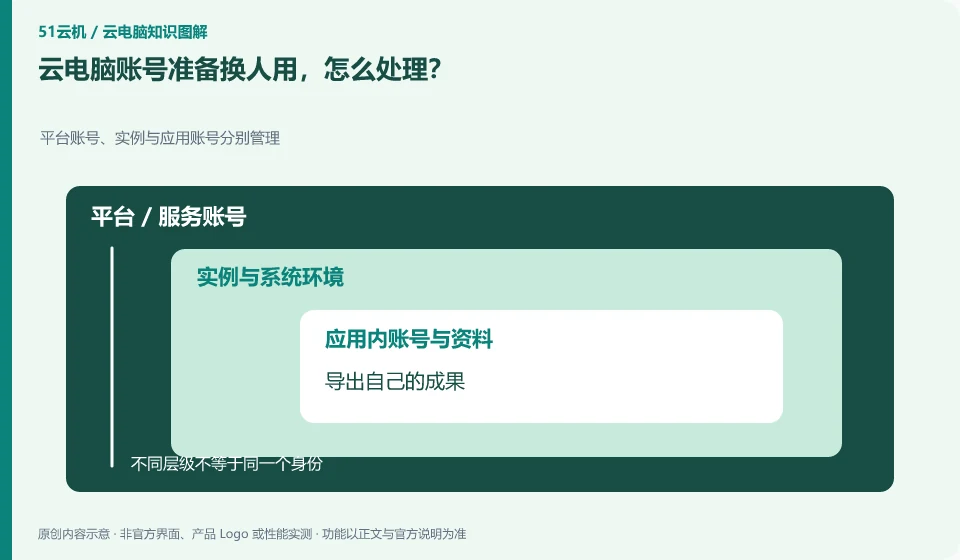
Prioritize using the account allocation and handover process supported by the service rather than handing your personal account password to the next person.
Understand the essentials
The original account may be bound to payment, retrieval methods and other services, and sharing will confuse responsibilities.
A practical example
Hypothetical example: The desktop is returned, but the personal email address of the browser is still logged in, which may still leak information.
What to check or try
- Export your own results.
- Exit apps and sync.
- New users are assigned by managers.
- Check the scope that the new user can access.
After the handover, you can ask the next person to verify the permissions with their own account. Old information that should not be seen should be handled according to official rules. Your personal application login should also be reviewed in the session manager of the original service. Simply changing the desktop display name does not replace a complete user handover.
An easy-to-miss detail
Don't delete other people's data yourself, and don't hand over private recovery information as well.
Continue reading
- How to manage a cloud PC you will not use for a while
- Are cloud PC backups and synchronization the same thing?
Back to Cloud PCs: AI and ongoing use
Notes and further reading
Anthropic computer use announcement;Windows 365 for Agents technical information。
This introductory guide was prepared by 51Yunji from public information with AI-assisted drafting. Examples are hypothetical, not hands-on product tests or promises of results. Follow the current product, version and official instructions for specific features and procedures. Compiled on October 26, 2026.