
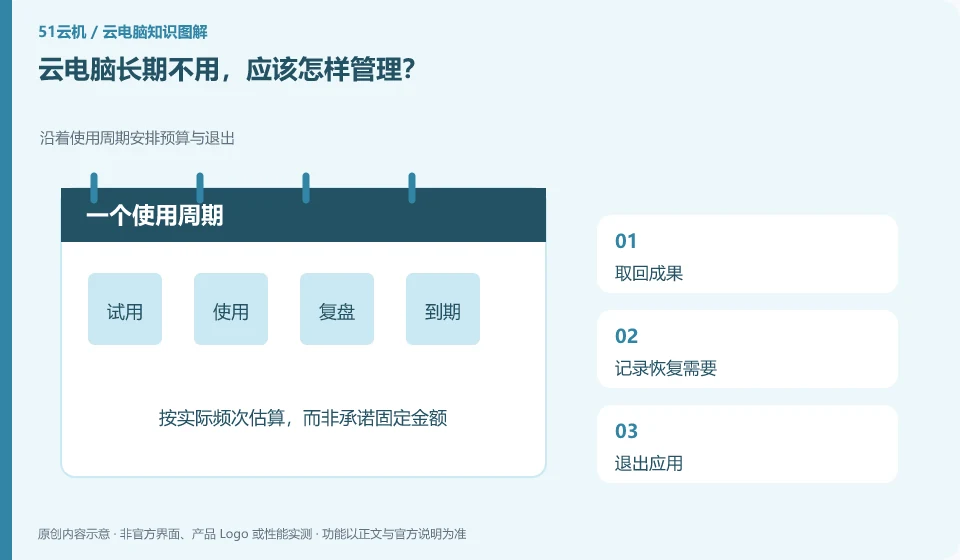
First determine whether you will need this environment in the future, and then deal with files, accounts, subscriptions and resources. Simply not logging in usually does not mean stopping fees.
Understand the essentials
Data, system and network resources may be retained separately, and the specific rules should be reviewed on a case-by-case basis.
A practical example
Hypothetical example: forgetting to subscribe after closing the client, only to find out a few months later that the subscription is still being renewed is an avoidable problem.
What to check or try
- Get results back.
- Record recovery needs.
- Exit the application.
- Check for automatic renewal.
- Decommission resources that are no longer needed by service process.
You can set a regular review date to check which resources are still useful, which files have been saved independently, and which accounts are no longer needed. Put the resource list and expense records in a location that can be accessed independently to avoid having to open the original environment to view management instructions.
An easy-to-miss detail
Before releasing, it must be confirmed that it will not affect shared users and unexported data.
Continue reading
- How to confirm that an AI-generated file was actually saved
- Handing a cloud PC account to someone else: what to do first
Back to Cloud PCs: AI and ongoing use
Notes and further reading
Anthropic computer use announcement;Windows 365 for Agents technical information。
This introductory guide was prepared by 51Yunji from public information with AI-assisted drafting. Examples are hypothetical, not hands-on product tests or promises of results. Follow the current product, version and official instructions for specific features and procedures. Compiled on October 26, 2026.