
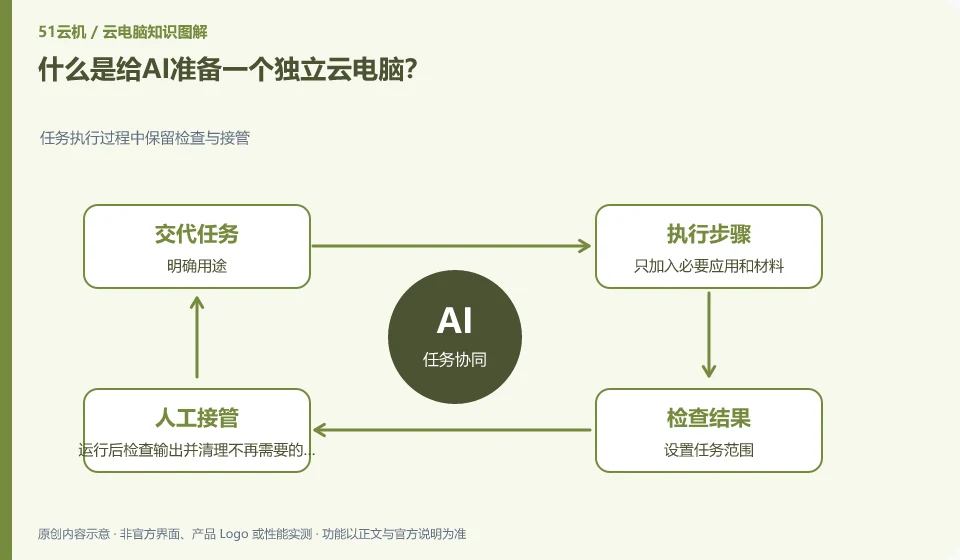
It is to allow AI to perform tasks in a dedicated remote environment and try not to mix it with personal daily desktops. Standalone environments still require permissions and data management.
Understand the essentials
Isolation can reduce the scope of misoperation, but it cannot replace correct configuration and checking results.
A practical example
Hypothetical example: a test desktop with only practice files is easier to control than the main environment with both work email and personal accounts logged in.
What to check or try
- Clarify the purpose.
- Add only necessary applications and materials.
- Set task scope.
- Check the output after running and clean up data that is no longer needed.
The independent environment also needs to define its life cycle: when it is created, what results are retained after the task is completed, and what data needs to be cleaned. Without these conventions, the environment will gradually become a new main desktop mixed with credentials and temporary data, losing the original meaning of ease of control.
An easy-to-miss detail
Independence does not mean absolute security, and the content of external web pages cannot be regarded as trusted instructions.
Continue reading
- Can an AI assistant log in to accounts for you on a cloud PC?
- Are AI cloud PCs suitable for everyday users?
Back to Cloud PCs: AI and ongoing use
Notes and further reading
Anthropic computer use announcement;Windows 365 for Agents technical information。
This introductory guide was prepared by 51Yunji from public information with AI-assisted drafting. Examples are hypothetical, not hands-on product tests or promises of results. Follow the current product, version and official instructions for specific features and procedures. Compiled on October 26, 2026.