
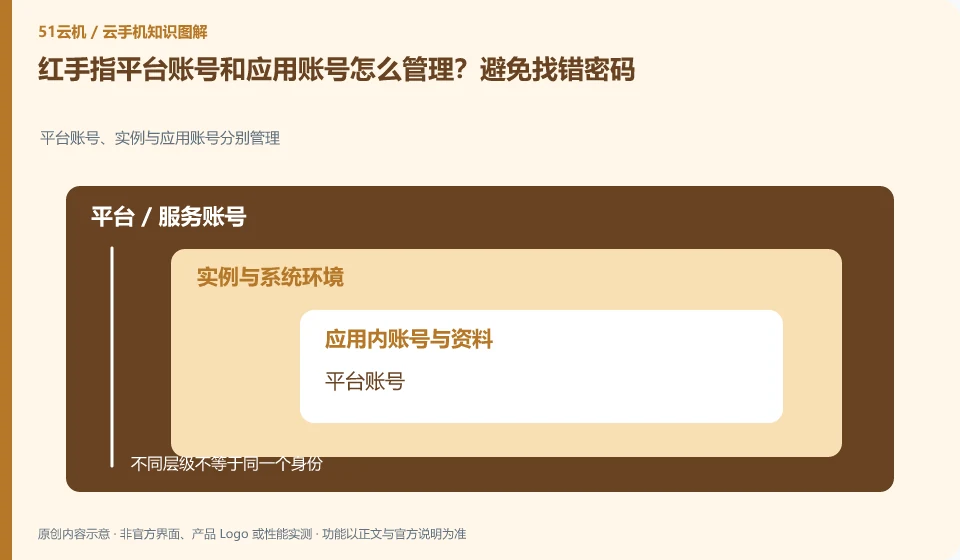
Regarding Redfinger, the key to this issue is: the cloud phone platform account is used to view devices and orders, and the cloud App account is used to log in to games or businesses. The two may be completely independent. Forgetting the platform password does not mean that the application account has been deleted; logging out of the application does not mean that the cloud phone package has expired.
Known information about Redfinger and the key points of this verification
Redfinger provides cloud phone remote control and application hosting services. The official help area explains application upload, restart, factory reset and expiration recycling respectively.
Account interoperability refers to the platform login level. The authorization and password of cloud applications should still be managed independently; when retrieving, first identify which layer it is at.
The evidence boundary of this article is: different clients and system packages may be suitable for different functions; the performance promotion on the official website should not be regarded as actual measurement results.
How this issue applies to this product
The account interoperability mentioned in RedfingerFAQ should first be limited to the cloud phone platform login level. Games, learning software or other apps on the device are managed by their respective services, and password retrieval and ban appeals also have their own channels. The platform can see the cloud machine and cannot prove for you that the status of the third-party account is normal.
Clearly explaining the location of the fault can save you a lot of detours: if it fails before entering the device, check the platform login and original binding channel; if an App fails after entering Android, record the App account and prompts. Do not continuously create new platform accounts just because the device cannot be seen at one end. The original order may still be under the original channel. Nor should you give the verification code you receive to someone who claims to have access to all accounts. Data management only needs to save the identification and retrieve the entrance, and the password should be handed over to a reliable password management method.
If the original mobile phone number is invalid, first follow the official process of the corresponding platform to understand the recovery conditions; do not assume that the device is still online and you will never need to retrieve it. Maintaining the recoverability of platform accounts and application accounts are two different preparations. Saving identities offline can help reduce false connections.
Understand what this question covers
Prepare an account relationship table. Only record the account ID, binding channel and retrieval entrance. Do not record the password in writing. Changing mobile phone numbers, invalidating third-party authorization, and device expiration are different issues. You should find the corresponding service provider to deal with them, and avoid giving all verification codes to strangers who claim to be able to "repair" them.
Check in this order
- Distinguish between the platform login page and the cloud application login page, and record the location where the error occurs.
- Check whether the bound mobile phone number or email address can still receive the retrieval message.
- Go through their respective official retrieval procedures, and then check the logged-in device and authorization.
Sources and scope
- Redfinger cloud phone official website
- Redfinger Product Answers
- Redfinger function operation
- Introduction to RedfingerAI Assistant
Sources checked on October 26, 2026. This article combines AI-assisted research of public information with independent analysis and verification suggestions; we have not conducted a hands-on test of this product. Features and costs depend on the current official documentation and your order.
Continue reading:Cloud phone basics · Cloud phone troubleshooting guide · Brand reference directory。
Related questions to explore
- What is Redfinger? Where it runs, how to access it and who it serves
- Installing Redfinger's client versus installing APKs in the cloud phone
- Redfinger restart versus factory reset: check your data first
Back to the brand and product knowledge directory · Browse cloud phone topics