
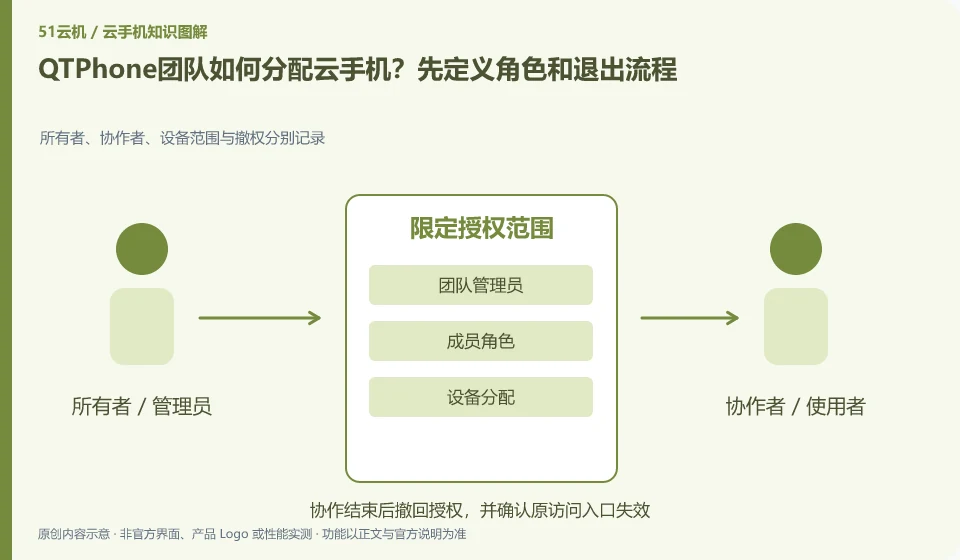
Regarding QTPhone, the key to this issue is: team assignments should be based around who can see the device, who can control it, and who can manage orders, rather than everyone sharing the administrator password. Even if the platform provides role functions, a test account must be used to confirm the actual permission scope to avoid configuration names that are different from expected.
Known information about QTPhone and the key points of this verification
QTPhone official product page introduces ARM cloud Android devices. Pages list multi-device management, environment isolation, team roles, and legal automation scenarios.
The official website lists team role capabilities. The actual administrators, members and temporary assistance scope still need to be verified in the test account.
The evidence boundary of this article is: it has not achieved independent performance, multiple improvement or unlimited instance capability verification, and it does not make capacity commitments based on the promotional text.
How this issue applies to this product
The official product page of QTPhone lists team roles and multi-device management, which is suitable for using roles as the focus of the pilot, rather than just counting how many devices can be opened. Administrators, daily users, and casual support require different scopes; page listing capabilities are still subject to confirmation of actual menus and operational boundaries on test accounts.
When you are ready to join a new member, you can first assign him a test environment without sensitive content, confirm the device list, operation permissions and file exports, and then test whether he can continue to access after revoking it. The organization also needs to record the person in charge and the handover method to avoid equipment resources existing without anyone cleaning them. The introduction to environment isolation does not replace third-party application account rules; each person's independent environment does not guarantee that application authorization can be shared. This article has not obtained independent security audit results, and does not derive absolute security conclusions based on the role description on the product page.
Member operations can be left in the organization's own handover record, recording the required identification without saving the password in plain text. Whether the platform has certain logging capabilities should be verified separately; the organization's manual records cannot be written as the product's native audit function, nor can it replace the actual deprivation check.
Understand what this question covers
First establish a list of responsible persons and equipment, and then allocate them according to minimum needs. There are procedures for new people to take over, temporary assistance and members leaving: assigning environments, verifying access, handing over data, and withdrawing permissions. Member roles within the application must also be set separately, and platform permissions cannot automatically cover all applications.
Check in this order
- Lists the required permissions for administrators, users, and facilitators.
- Use two test members to verify visible devices and executable operations.
- When personnel change, reclaim access and update the list, and then check application-side authorization.
Sources and scope
Sources checked on October 26, 2026. This article combines AI-assisted research of public information with independent analysis and verification suggestions; we have not conducted a hands-on test of this product. Features and costs depend on the current official documentation and your order.
Continue reading:Cloud phone basics · Cloud phone troubleshooting guide · Brand reference directory。
Related questions to explore
- Starting QTPhone automation: define success and stopping conditions
- Assessing QTPhone capacity: test simultaneous work, not idle connections
- Does QTPhone environment isolation guarantee account safety?
Back to the brand and product knowledge directory · Browse cloud phone topics