
Regarding Aochen cloud phone, the key to this question is: running in the cloud does not mean that it will never be maintained. When you see the announcement, first confirm the affected area, equipment range and time to determine whether your current equipment is involved; old announcements cannot be used as an explanation for the current fault, nor can you infer that the entire platform is abnormal.
Known information about Aochen cloud phone and the key points of this verification
Aochen cloud phone official website provides Android, computer and web page operation portals. The official question page explains that the cloud runs independently and reminds you of data processing if your subscription has not been renewed or the device has been replaced.
The protocol lists outage situations such as maintenance, and the introduction of continuous cloud operation cannot be written to never maintain or never lose tasks.
The evidence boundary of this article is: the system version and package are subject to the actual console; the old version range on the website does not represent all current devices.
How this issue applies to this product
The Aochen user agreement lists possible interruptions such as maintenance, which means that "continuous operation of the cloud" should be understood as a service form, rather than a promise that it will never be suspended. People who plan to arrange long tasks should know in advance whether the application can be restored after an interruption and whether key results are only saved in that Android environment.
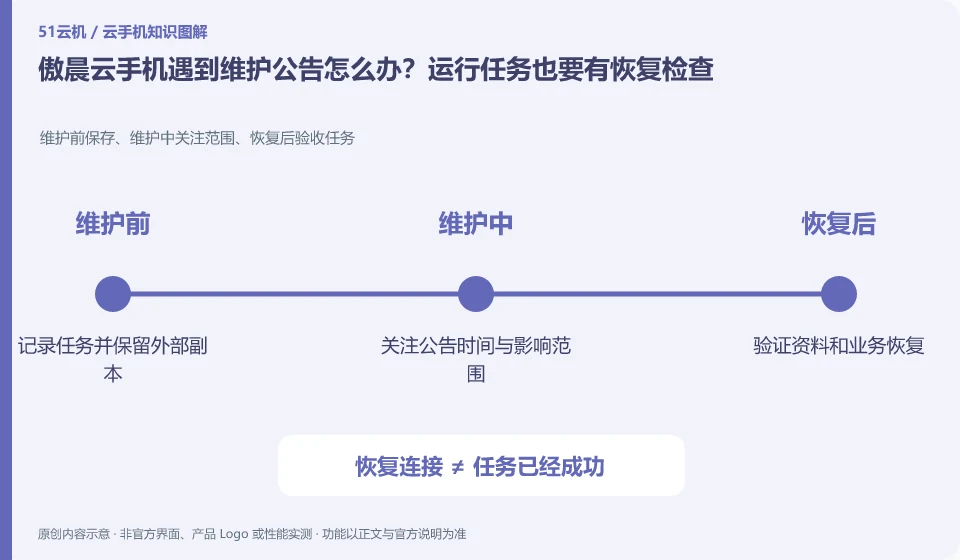
The most practical preparation before maintenance is to save non-rebuildable files, record run phases, and schedule reviews for steps that rely on human input. What you check after maintenance is the task results, application login and remaining time, not just a picture that is restored and lit. If the fault does not match the maintenance notification, evidence will still be provided as an application or access problem; the general terms of the agreement cannot be used to assert that maintenance must currently occur. This article has not obtained data on the current failure or recovery time. The specific scope of impact should be confirmed based on the current official notification and the actual status of the equipment.
If the task results will be automatically synchronized to a third-party application, you should also confirm the completion of the synchronization yourself, rather than assuming that there must be a copy on the server. Unsynchronized drafts may still only be on the current cloud machine. Data checks before and after maintenance must be arranged according to the actual location and cannot only rely on the platform account to be able to log in.
Understand what this question covers
Before maintenance, export files that cannot be reconstructed and record the application status and necessary re-login steps. After recovery, you should check that the device is accessible, the application can connect to the Internet, the task can be continued, and the data is complete. Just seeing that the desktop has been restored does not mean that all services have been restored.
Check in this order
- Check the announcement date and affected equipment, and retain the current operating status.
- Schedule backups and task pauses to avoid high-impact operations during maintenance.
- After recovery, verify connections, applications, and files one by one, and provide evidence feedback when exceptions occur.
Sources and scope
Sources checked on October 26, 2026. This article combines AI-assisted research of public information with independent analysis and verification suggestions; we have not conducted a hands-on test of this product. Features and costs depend on the current official documentation and your order.
Continue reading:Cloud phone basics · Cloud phone troubleshooting guide · Brand reference directory。
Related questions to explore
- Aochen web access: website, sign-in page and console are different
- Aochen subscription expiry: plan renewal and file export separately
- Choosing an Aochen Cloud Phone Android version for your apps
Back to the brand and product knowledge directory · Browse cloud phone topics