
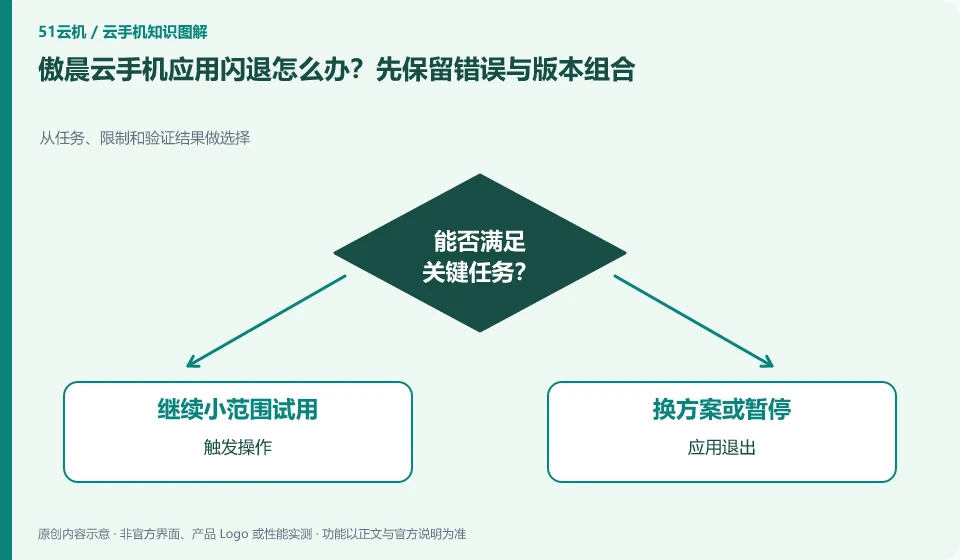
Regarding Aochen cloud phone, the key to this problem is: a crash means the application exits, and the remote screen disconnection means the connection is interrupted. The two may look similar but are handled differently. First try to reconnect to check the desktop and application status, and then decide to check the network, application logs or system resources.
Known information about Aochen cloud phone and the key points of this verification
Aochen cloud phone official website provides Android, computer and web page operation portals. The official question page explains that the cloud runs independently and reminds you of data processing if your subscription has not been renewed or the device has been replaced.
When crashing, first distinguish between cloud application exit and client disconnection, and save the application version, system version and trigger steps together.
The evidence boundary of this article is: the system version and package are subject to the actual console; the old version range on the website does not represent all current devices.
Understand what this question covers
If it exits at the same step every time, the trigger action and version combination should be recorded; if the entire cloud machine is unresponsive, the device status should be checked first. Clearing data may delete unsynchronized drafts and should be done after backup and not as the first step for all problems.
Check in this order
- Record the operations before exit, application version and actual system version.
- After reconnecting, confirm whether the application is still running and separate connection and application failures.
- Back up first and then perform individual repairs, retest the same step and save the results.
Consider a specific scenario
Suppose you want an application to exit immediately when a specific page is opened. This is a verification plan, not our experience using this product. First of all, "confirm after reconnection that the application exited and not the screen disconnected" should be regarded as the completion standard for this time. The original data should be saved before the test, and the first attempt should not be placed directly on important accounts and unique file copies.
The most easily overlooked thing in this scenario is that clearing the data first will cause the loss of unsaved drafts and failure evidence. Therefore, it is necessary to separate the status that can be seen on the interface from the results that really need to be delivered. Being able to reproduce, explain and withdraw is more valuable than getting only one success notification.
How to submit records to Aochen cloud phone support channel
When submitting a question, first write "What should I do if the Aochen cloud phone application crashes? Keep the error and version combination first", and then attach the device number, selected client and system version, failure steps and current time. The key point of verify in the brand information is "When crashing, first distinguish between cloud application exit and client disconnection, and save the application version, system version and trigger steps together." Therefore, do not just send a screenshot of the homepage, nor do you need to put the complete password, verification code or private key in the problem description. When it comes to order or business qualifications, you should contact support from the official entrance where this product can be verified.
A reusable verification log
You can copy the table below into your notes. Record the device ID, verification date and current version. It helps identify which step failed and lets you repeat the same checks after changing clients or services.
| Checkpoint | What counts as a pass | What to do if it fails |
|---|---|---|
| Current status | Device number, error message and last successful action can be tracked | If the original phenomenon is missing, reproduce it first and record it. Do not change multiple conditions at the same time. |
| minimal operation | Select the least impactful and undoneable check first | If the operation will erase or overwrite content, a backup should be completed before execution |
| result evidence | The original problem no longer occurs under the same conditions | Continue to keep fault records when it only improves temporarily, and do not immediately expand the scope. |
| next branch | There are three types of results: successful, still abnormal, and requiring support. Each has a next step. | When unable to determine, use device information and attempted actions to seek support. |
Sources and scope
Sources checked on October 26, 2026. This article combines AI-assisted research of public information with independent analysis and verification suggestions; we have not conducted a hands-on test of this product. Features and costs depend on the current official documentation and your order.
Continue reading:Cloud phone basics · Cloud phone troubleshooting guide · Brand reference directory。
Related questions to explore
- Aochen web access: website, sign-in page and console are different
- Aochen subscription expiry: plan renewal and file export separately
- Choosing an Aochen Cloud Phone Android version for your apps
Back to the brand and product knowledge directory · Browse cloud phone topics