
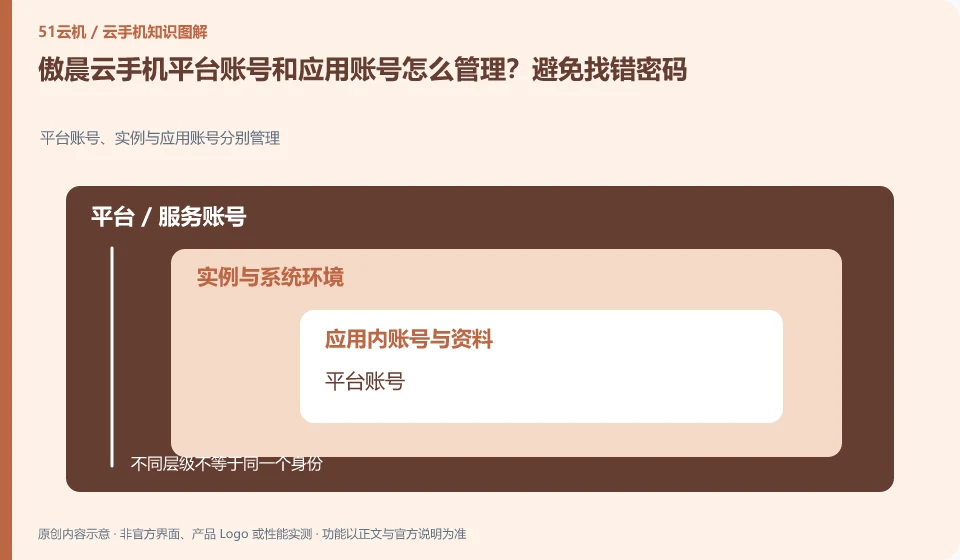
Regarding Aochen cloud phone, the key to this issue is: the cloud phone platform account is used to view devices and orders, and the cloud App account is used to log in to games or businesses. The two may be completely independent. Forgetting the platform password does not mean that the application account has been deleted; logging out of the application does not mean that the cloud phone package has expired.
Known information about Aochen cloud phone and the key points of this verification
Aochen cloud phone official website provides Android, computer and web page operation portals. The official question page explains that the cloud runs independently and reminds you of data processing if your subscription has not been renewed or the device has been replaced.
When logging in and retrieving, first determine whether it is the Aochen platform or a third-party cloud app. Do not submit verification codes and account passwords on unknown web pages.
The evidence boundary of this article is: the system version and package are subject to the actual console; the old version range on the website does not represent all current devices.
How this issue applies to this product
When Aochen users encounter "Account cannot be logged in", they should first confirm whether the screen belongs to the Aochen platform or a cloud third-party app. The official website product entrance and problem help can be used to confirm brand channels, but it does not mean that the platform can reset passwords for all applications. Mixing the responsibilities of the two services often leads to repeated machine changes without solving the login reason.
If the device can be accessed but the application prompts an error, first save the application version, binding method and original error report; if you cannot even enter the device list, then sort out the platform phone number, order and current terminal information. The system scope of the old page does not determine the account recovery method, nor should clearing the Android environment be the first step. When official support is needed, only the information required to locate the problem will be delivered. Verification codes and complete passwords are not required attachments for ordinary fault descriptions.
If an empty device list appears after replacing the local client, keep the original client information and order records and check again. Do not clear the cloud application to try to repair the platform login. The operational impacts at the two levels are different. The latter may increase the risk of data loss due to originally recoverable account problems.
Understand what this question covers
Prepare an account relationship table. Only record the account ID, binding channel and retrieval entrance. Do not record the password in writing. Changing mobile phone numbers, invalidating third-party authorization, and device expiration are different issues. You should find the corresponding service provider to deal with them, and avoid giving all verification codes to strangers who claim to be able to "repair" them.
Check in this order
- Distinguish between the platform login page and the cloud application login page, and record the location where the error occurs.
- Check whether the bound mobile phone number or email address can still receive the retrieval message.
- Go through their respective official retrieval procedures, and then check the logged-in device and authorization.
Sources and scope
Sources checked on October 26, 2026. This article combines AI-assisted research of public information with independent analysis and verification suggestions; we have not conducted a hands-on test of this product. Features and costs depend on the current official documentation and your order.
Continue reading:Cloud phone basics · Cloud phone troubleshooting guide · Brand reference directory。
Related questions to explore
- Aochen web access: website, sign-in page and console are different
- Aochen subscription expiry: plan renewal and file export separately
- Choosing an Aochen Cloud Phone Android version for your apps
Back to the brand and product knowledge directory · Browse cloud phone topics