
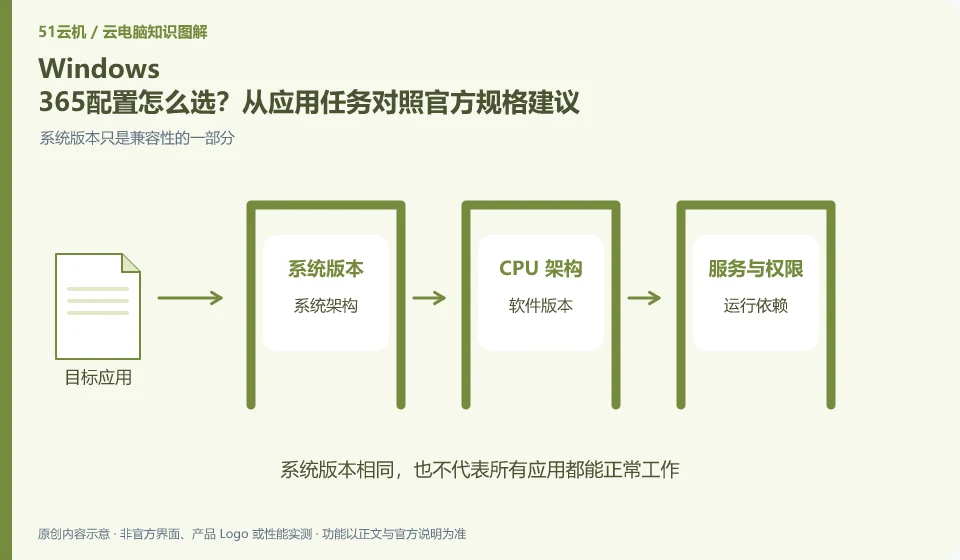
Selecting specifications based on real applications and workloads is more reliable than just looking at the number of CPUs. Microsoft has Cloud PC specification recommendations, but they are a starting point for planning and cannot replace your own verification of applications, files, and peripherals.
Who this is for:For general readers and small teams who are working on Microsoft Windows 365 and need to solve the specific problem in the title. Data verification date: 2026-10-26.
First, identify the product line
Microsoft defines Windows 365 as a software service that delivers Cloud PC, and provides different versions such as Business and Enterprise. Its core is to allocate a cloud Windows environment to organizational users, rather than adding an ordinary remote control plug-in to existing physical computers.
Installing software and completing a workflow are different tests
List common combinations such as document editing, multiple browser tabs, conferencing, and development tools, and select representative tasks to try out. Record the memory, application response and final delivery; if the remote screen is only blurry, check the display and network first, without directly expanding the cloud computing specifications.
Software compatibility includes the operating system, processor architecture, permissions, drivers, licensing and data dependencies. A successful installation only confirms that the installation step worked. You still need to test launching, signing in, reading and writing files, and producing the required output. For domestic operating systems, older programs or software requiring special hardware, start with the vendor's support matrix rather than someone else's screenshot.
Create an application list, specifying the name, version, licensing method, dependent components and acceptance actions. Prioritize verification of core procedures that affect the business, and then deal with non-essential tools. If the application does not allow a virtualized environment or requires a local encryption device, it should be confirmed with the software vendor and desktop service provider at the same time. Do not use cracking, changing driver signatures, or bypassing authorization to determine "compatibility."
Check each requirement for your task
- Document software version, operating system, architecture, and licensing requirements.
- Check the current desktop and application official support matrix.
- Verify startup, login, data reading and writing and final output, and record failed links.
Office verification starts with a complete document
For temporary offices, you can prepare desensitization samples: a document with charts, a table with formulas, and an exported PDF. Check the screen display and the final file separately, and do not mistake the blur caused by remote image compression for damage to the file itself. When you need corporate email, internal systems or customer materials, you should first confirm whether the unit allows processing in that environment, and use approved accounts and connection methods.
Where the conclusion applies and what to do next
Windows 365 and Microsoft 365 office software subscriptions, Windows local licenses, and Azure Virtual Desktop need to be purchased and planned separately.
This article is based on public information. We have not purchased or tested the product. The scenarios describe ways to verify suitability, not customer case studies. Features and terms depend on the current official documentation for the relevant version.
Official sources and further reading
- Microsoft: What is Windows 365:Officially defines Cloud PC, version, license and cloud delivery method.
- Microsoft: Access Cloud PC: Official instructions for accessing Windows App and web pages; the old version of Remote Desktoptutorial has timeliness issues.
- Windows 365 spec recommendations: Plan Cloud PC specifications based on workload. CPU numbers cannot be used directly as a guarantee of real performance.
Read more:Cloud PC knowledge hub · Find an article for your question · Microsoft Windows 365 product line identification
Related questions to explore
- Windows 365 versus Microsoft 365: different subscriptions
- Windows 365 Business or Enterprise: start with management requirements
- Which client should you use for Windows 365? Check older desktop guides
Back to the brand and product knowledge directory · Browse cloud PC topics